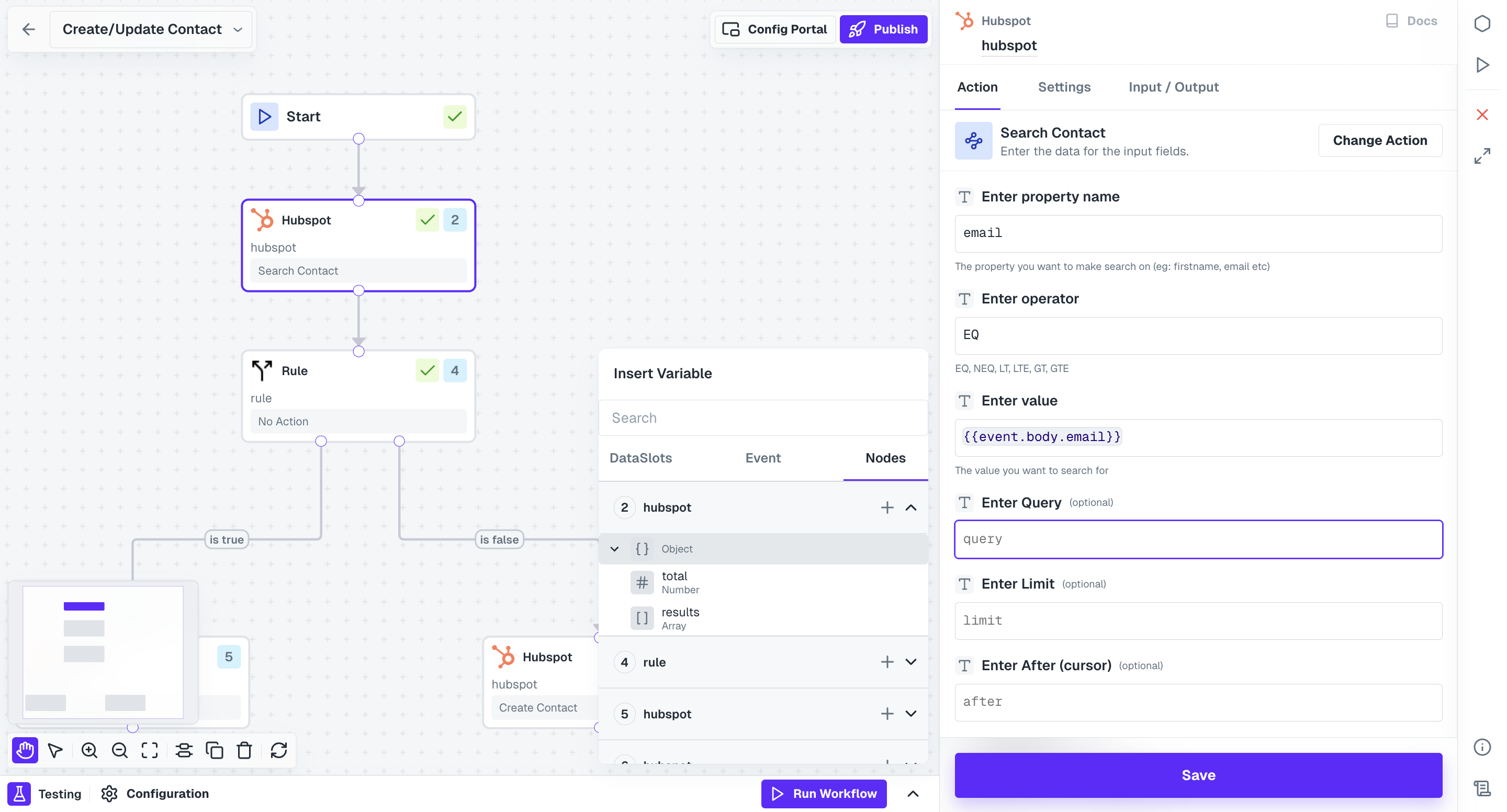
Dataslots represent variables that capture and store data from within the workflow or events, allowing users to map business logic within workflows.Documentation Index
Fetch the complete documentation index at: https://docs.refold.ai/llms.txt
Use this file to discover all available pages before exploring further.
Accessing Dataslots
When configuring workflow nodes, users can access Dataslots by clicking on any Input Field in the node. This provides access to a wide range of variables, allowing users to select and utilize the appropriate data for their workflows.Types of Dataslots
Users can search for variables in the Dataslots. Dataslots in Refold are of two types:DataSlots
DataSlots encompass variables sourced from various sources, including triggers and configurations. They provide essential data for workflow execution and can be customized to suit specific requirements. Payload Variables These are the variables that are extracted from Triggers/Events payloads. Config Variables These are the variables that are defined in App config or Workflow config. In the list of DataSlot variables, these are present after the list of variables from the Triggers.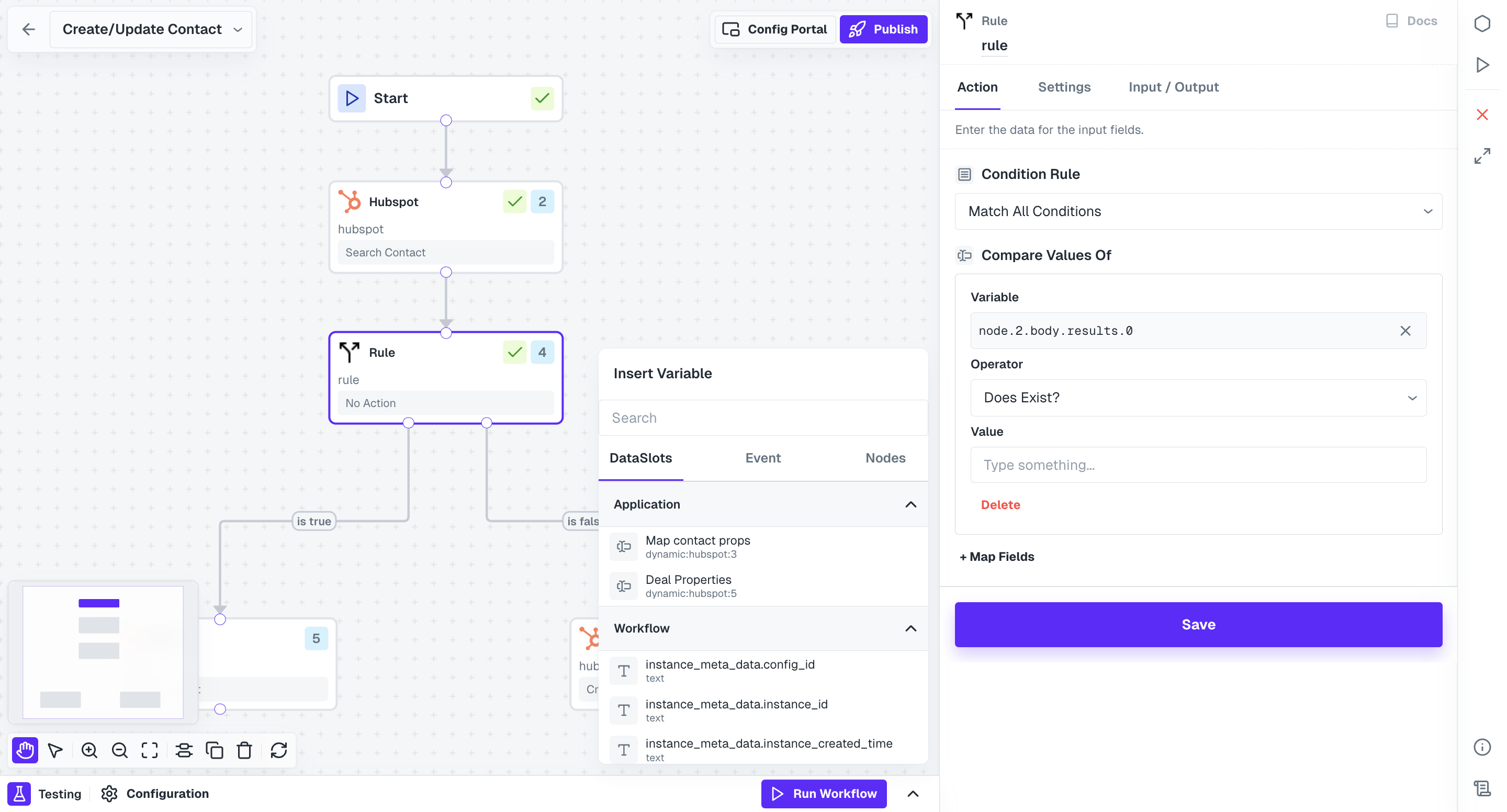
Nodes
Nodes represent data from nodes present within the current workflow. They enable users to access and utilize data generated by previous workflow components, facilitating seamless data exchange and integration.