

Welcome to Refold’s API Reference! It allows developers to integrate and automate various functionalities within the Refold platform. This guide provides an overview of how to find the API key, descriptions of each available resource, and details about the rate limits of the Refold API.Documentation Index
Fetch the complete documentation index at: https://docs.refold.ai/llms.txt
Use this file to discover all available pages before exploring further.
Finding the Refold API Key
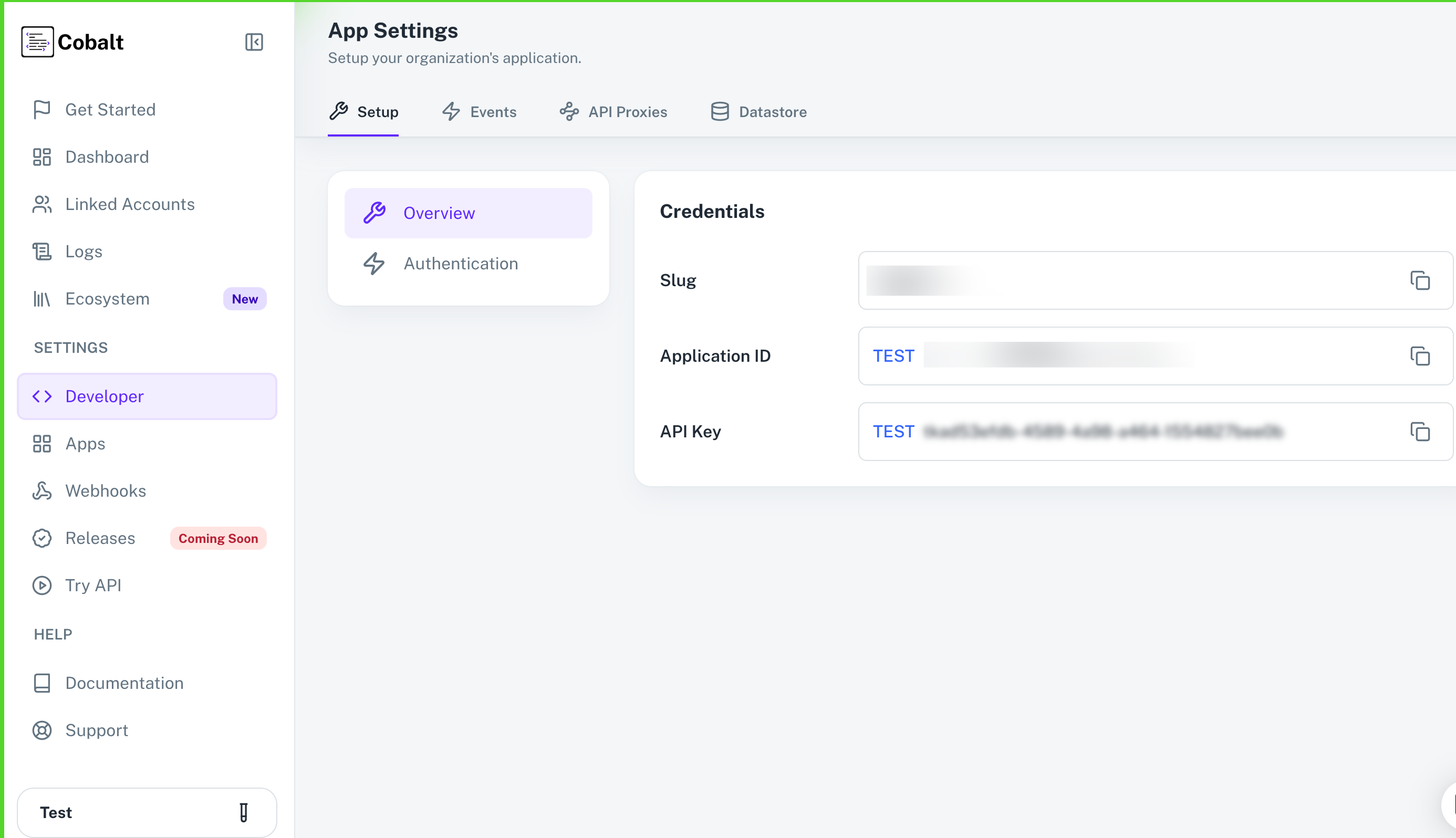
To execute API requests, an API key is required. Follow these steps to find your API key:- Log in to your Refold account.
- On the dashboard, navigate to
Developersection underSettingsin the side menu. - Under the Setup tab, you will find the
API Keyin Overview section. - You can copy the API key for either the Test environment or the Production environment.
Using Session Token for Authentication
If you do not want to expose your API Key in the frontend implementation, you can also make the following API Calls by using a Session token in the Header instead ofx-api-key and Linked-account-id:
- Config APIs
- Config Field APIs
Rate Limits of Refold API
Refold API has specific rate limits to ensure efficient and fair usage. Standard Rate Limit: 20 events per second. Burst Rate Limit: Allows a burst of 5 events in an instant within a second.API Resources
The Refold API includes several resources, each serving a specific purpose. Below is a brief description of each resource:- Linked Account
- Applications
- Config
- Event
- Webhooks
- Executions
- Session Token
- Refold Hosted
- Public Workflows
- Datastores