Refold webhooks is a method to provide your external applications with real-time information about events in the platform such as Workflow errored or Connection created.A webhook delivers data to the application at the moment that there is a change, resulting in data being pushed, unlike REST APIs where your application needs to poll the API at regular intervals in order to get the changed data. This makes webhooks much more efficient and friendly.
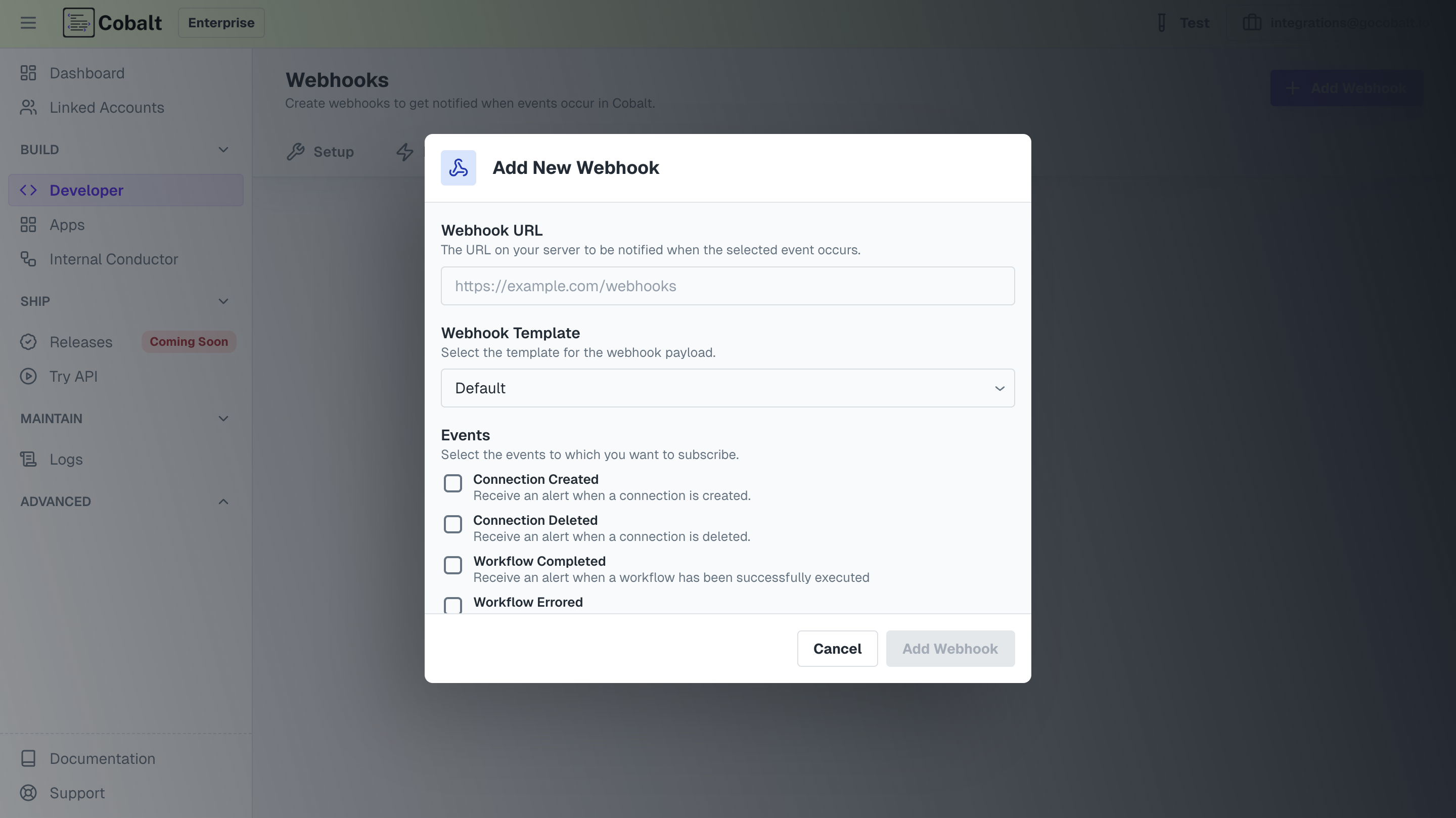
Go to Dashboard > Developer > WebhooksTo create a Webhook subscription, click on + Add Webhook, enter the Webhook URL of the endpoint from your system, and select the desired events you want to receive webhook events for.
Webhooks should use HTTPS and expect to receive POST requests
After you clicked Add Webhook, you are subscribed to the Webhook events.
In Refold webhooks, you can configure advanced settings such as any headers or body that you want to send to the Webhook URL.For example, to fire the Workflow API of Refold to execute a workflow when some event occurs in Refold. You will simply add the headers and Body too if required.
To use Advanced Settings, remember to choose Custom as the Webhook template while registering.
You can also use the payload data of a webhook by templating it in your body or headers of Webhooks.
If a workflow with Response node in it has executed successfully and you want to use its response data during webhook firing, you can template that in your headers or body.The format to template is:
{{event.<payload_key_name>}} // When you want to use a variable from the payload{{event.instance_id}} // Example of using Instance ID from Workflow Errored payload{{workflow_response}} // In case you want to access complete Response Node payload{{workflow_response.<key_name>}} // To access any key inside the response node payload
For security purposes, if you require to verify HMAC signature of the Refold webhooks you receive, you can easily do so.
It is not necessary to verify the HMAC signature if you do not have a requirement.
Following are the sample codes to verify HMAC signature of Refold Webhooks
import * as crypto from 'crypto';// your Cobalt API key based on environmentconst WEBHOOK_SECRET = process.env.WEBHOOK_SECRET || '<Cobalt-API-key>';// payload is the data that you receive from the webhookconst payload = { "linked_account_id": "dev", "instance_id": "67d22c4330d75f3a3fa29056", "workflow_id": "67af37ad1d0bb61005439eaf", "event": "Workflow Completed", "workflow_name": "Get Response", "status": "COMPLETED", "environment": "test"}/** * Verifies the HMAC signature from a webhook received from Cobalt * @param payload The raw request body as a string (JSON.stringify(payload)) * @param signature The signature from the webhook header (Header is, 'x-cobalt-signature') * @returns boolean indicating if the signature is valid */function verifyWebhookSignature(payload: string, signature: string): boolean { try { const expectedSignature = crypto .createHmac('sha256', WEBHOOK_SECRET) .update(payload) .digest('hex'); return crypto.timingSafeEqual( Buffer.from(signature, 'hex'), Buffer.from(expectedSignature, 'hex') ); } catch (error) { console.error('Error verifying webhook signature:', error); return false; }}const examplePayload = JSON.stringify(payload);const exampleSignature = '42799d46dfd9a8acf35c14e6b7c300cc3734d06a0ce129268f1b54096750a44f'; // This would be from the webhook header x-cobalt-signatureconst isValid = verifyWebhookSignature(examplePayload, exampleSignature);console.log('Signature is valid:', isValid);
On receiving an event, you should respond with an HTTP 200 OK to signal to Refold that the event was successfully delivered. Otherwise, Refold will consider the event delivery a failure and retry up to 3 times, with exponential backoff.