

Events are the trigger entities that are used to define a start point of a workflow and can be triggered using the REST APIs or the Event URL assigned for the Organization. Think of these custom events as signals sent from your app using the Refold SDK or Event API to kick off different processes. Refold events areDocumentation Index
Fetch the complete documentation index at: https://docs.refold.ai/llms.txt
Use this file to discover all available pages before exploring further.
common models. This means once you set it up, one event can make several workflows get executed. This is handy when you want the same event to do similar things in different apps.
Creating an event
An event model contains name of the event and the trigger payload. The trigger payload contains sample data schema that can be used as data variables and are used inside a workflow as placeholders while defining the workflow. The actual data passed while triggering the event takes place of those variables inside the workflows. To create an event, go to Settings > Developer > Events, Click onNew Event and select a model.
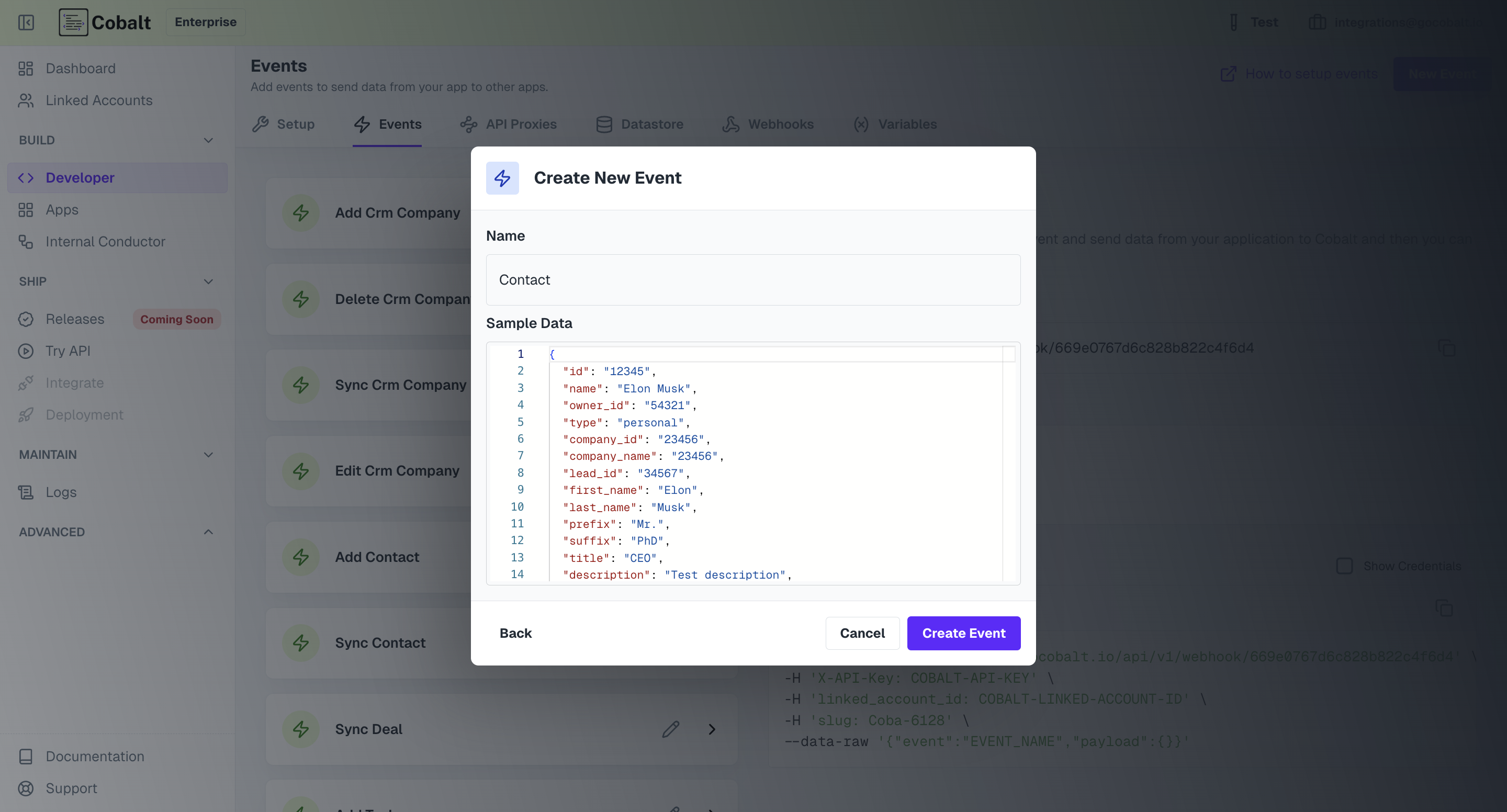
Create event. It is expected that you pass on the data as the Sample Payload
while you are triggering this event. This is because, the properties defined in the sample payload can be used as trigger variables inside a workflow.
In the below example, we are using firstName defined inside the Contact event in a HubSpot workflow.
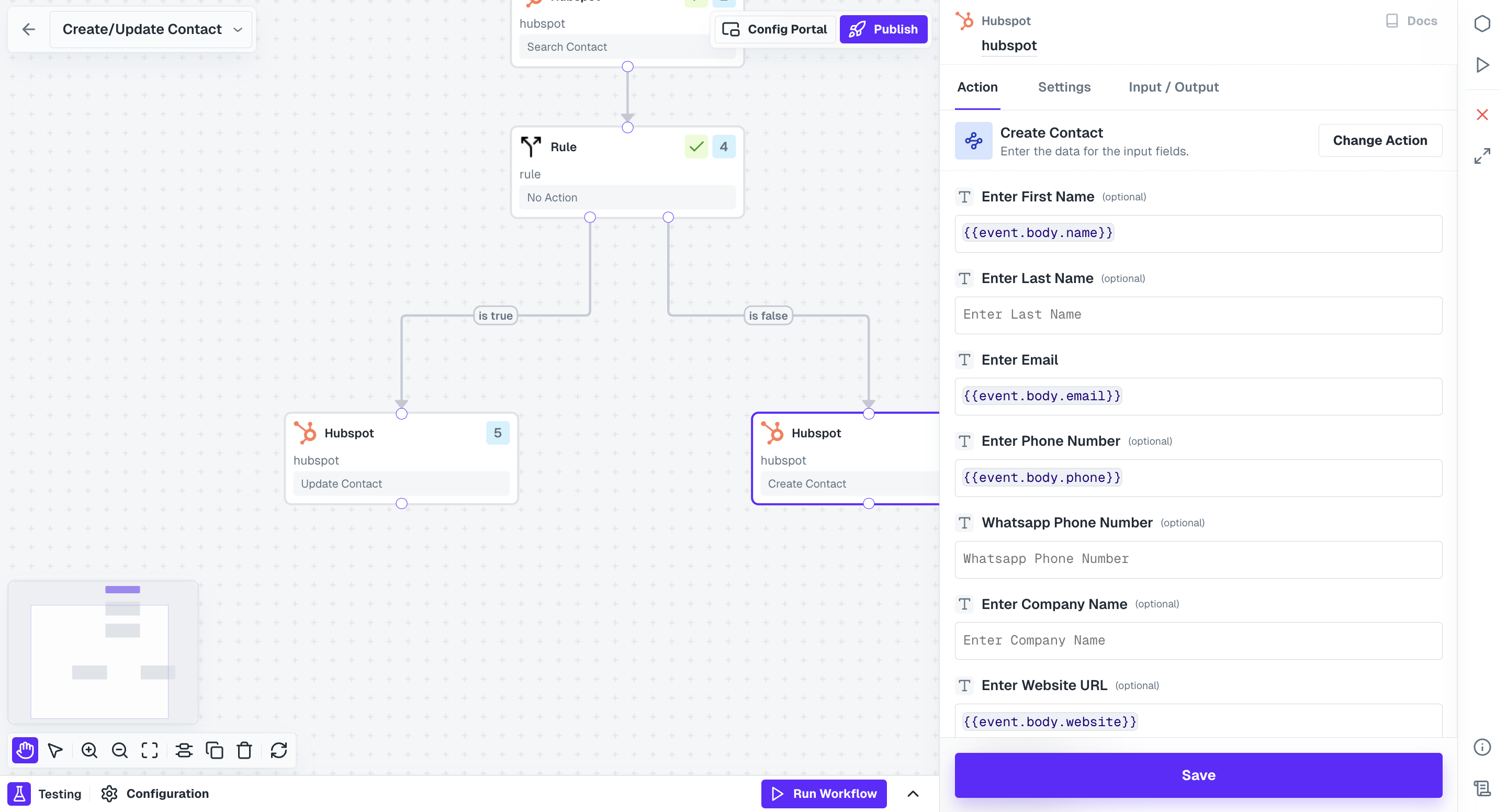
Contact, this workflow will get executed with name field consisting of the value sent by you as firstName while triggering
the event.
Triggering an event.
Refold events can be triggered using various methods. You can make use of theEvent URL. Go to Settings > Developer > Events
Copy the event URL. Then click on the event that you would like to trigger to get its cURL. See below for reference
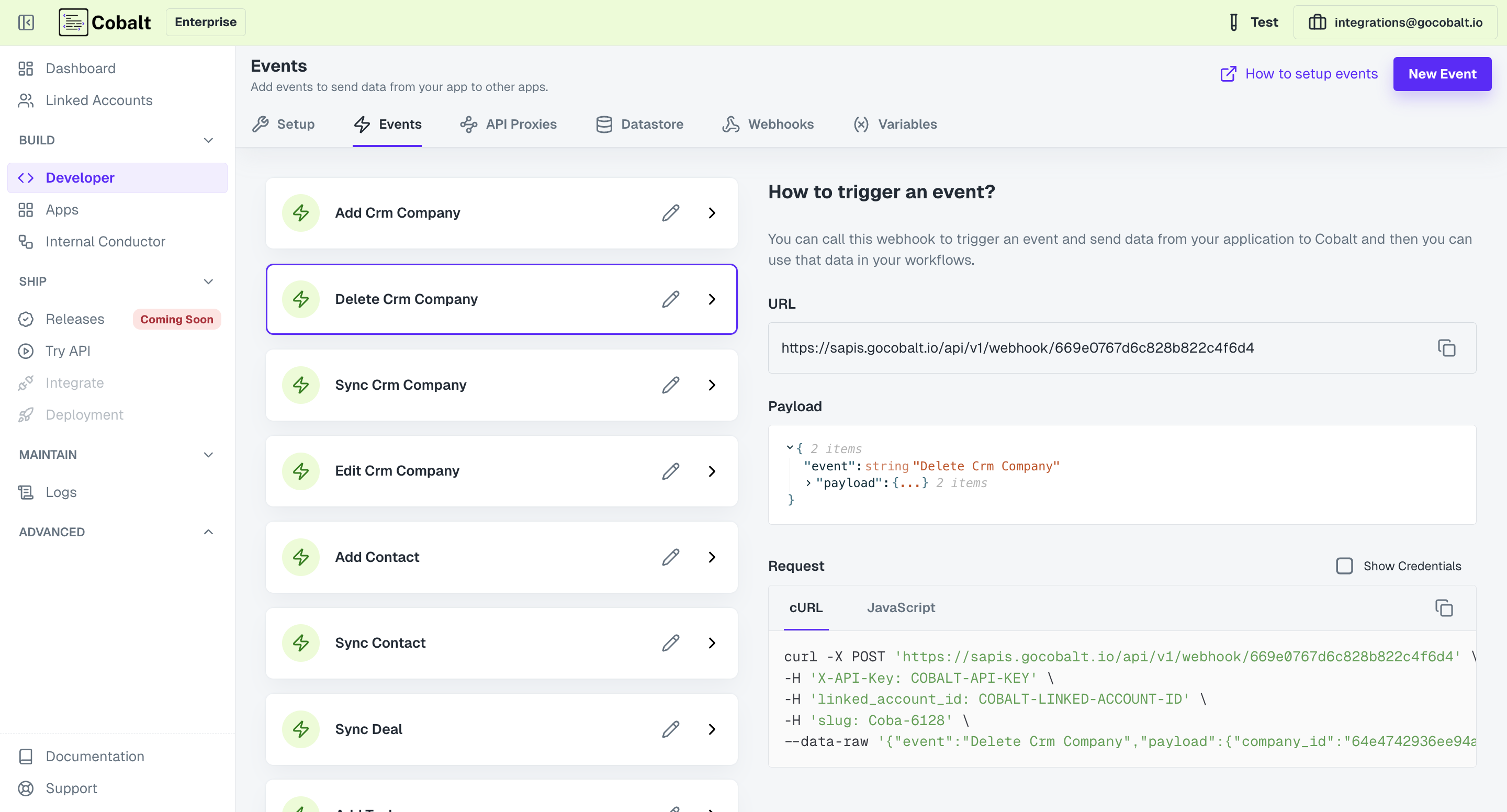
linked_account_id and x-api-key in the headers
Try API feature of Refold. Refer here to learn how you can use Try API.