

Tableau is an API Key based integration and does not require the setup of an app.
Required Credentials of a Linked Account
To successfully connect with the Tableau integration, a Linked Account or an end-user will need to provide the following to connect:- Base URL
- Access Token
- Access Token Name
To understand how a Linked Account can get the above mentioned credentials, refer below.
Getting Credentials of Tableau
To acquire the required credentials and connect a Linked Account, please follow the steps mentioned below: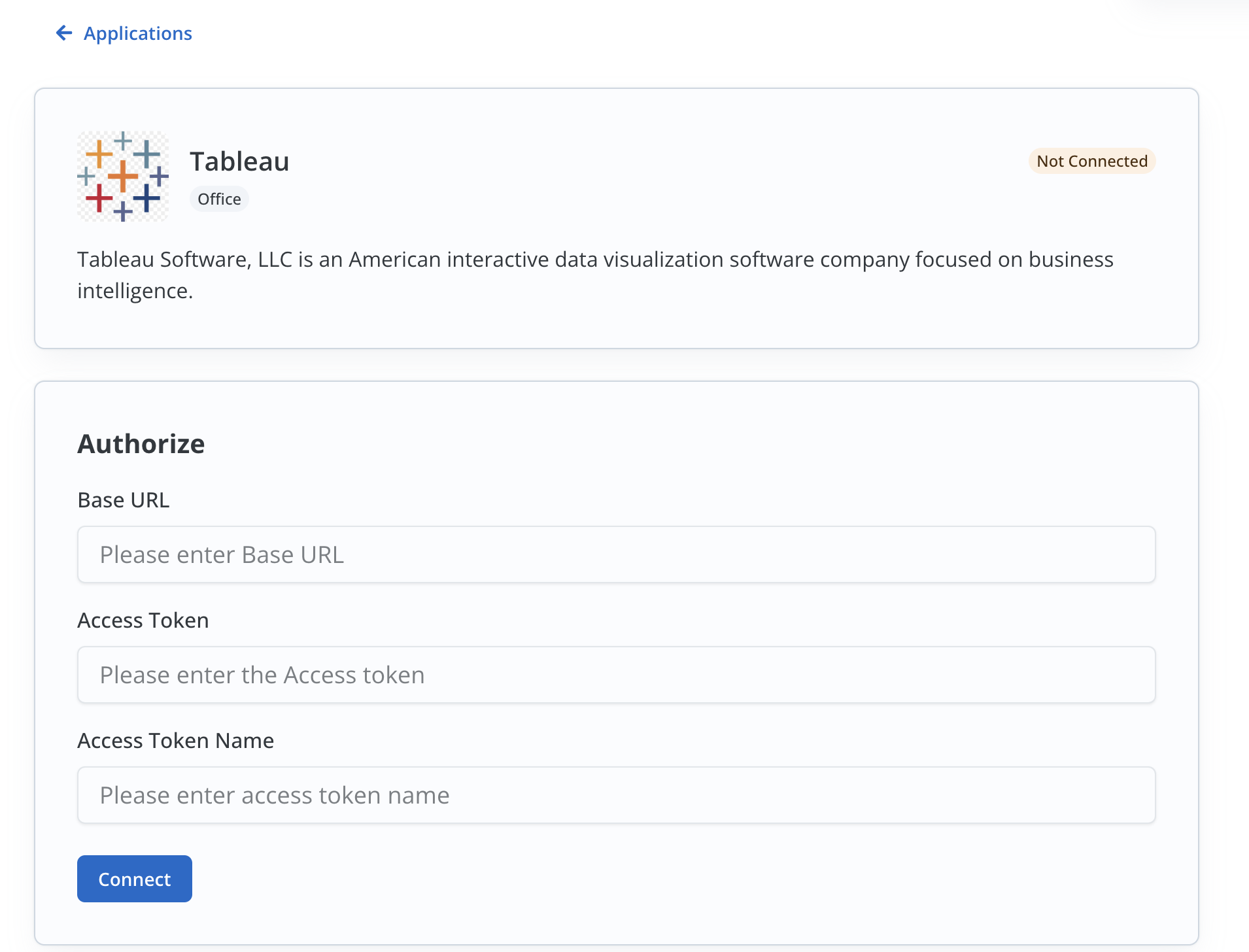
- Log in to your Tableau account and copy the
Base URLof your account before/#in the URL. - Click on the
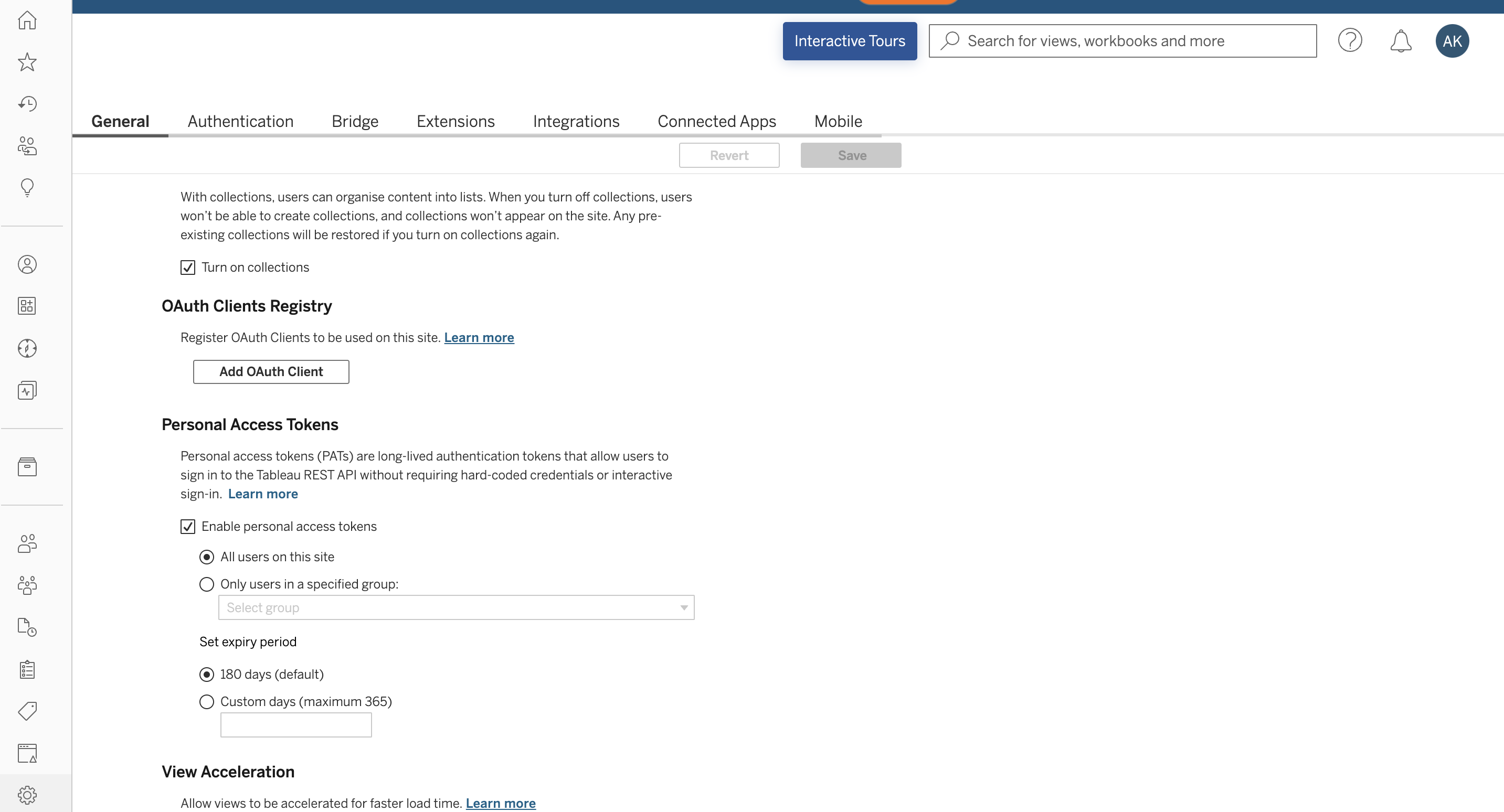
Settingsicon in the side menu > Go toGeneraltab > Scroll down and check thatEnable personal access tokensis checked.
- Click on Profile Icon in the top right corner and select
My Account Settings. - Under
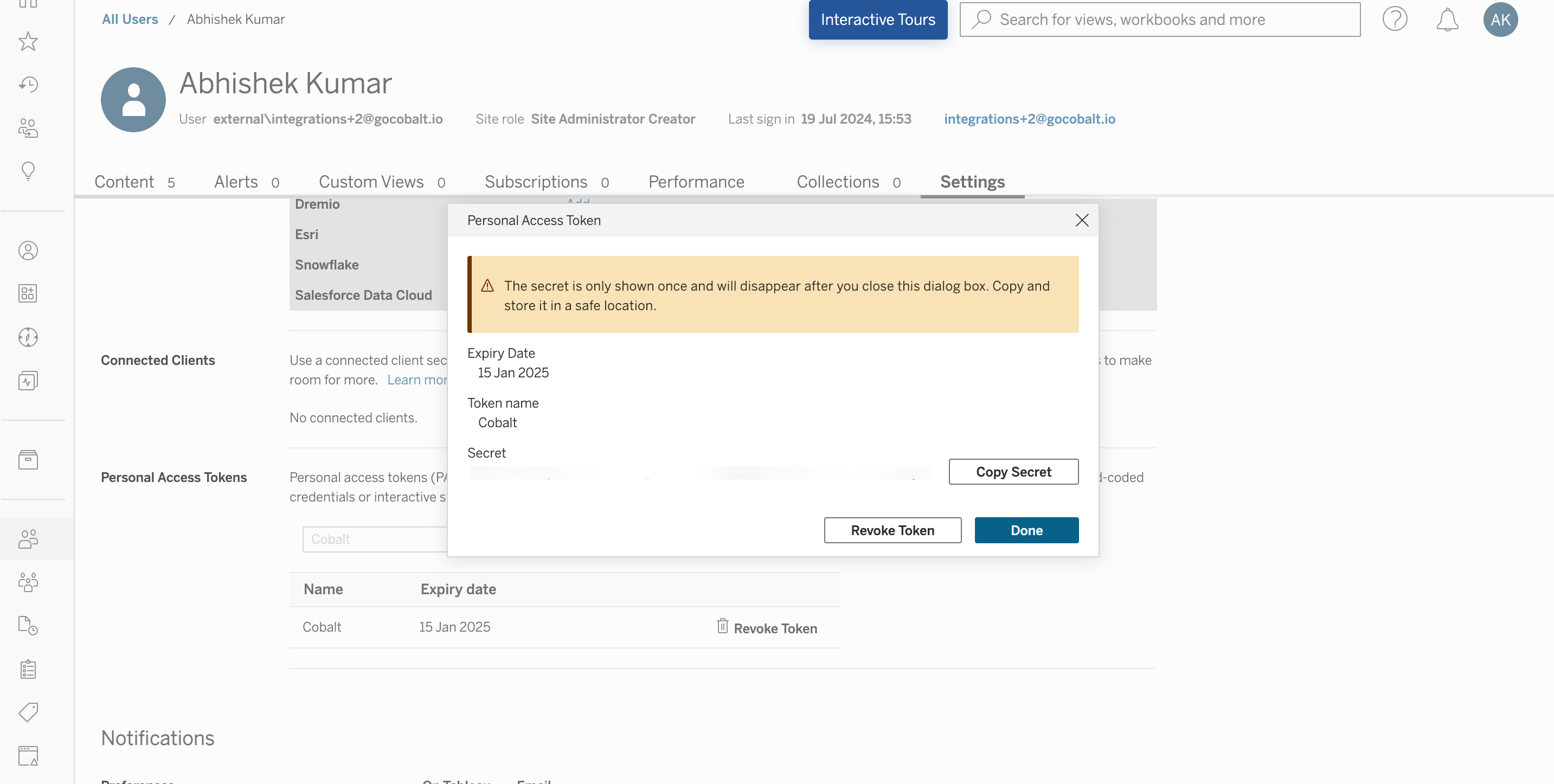
Settingstab > Scroll to Personal Access Tokens section > Provide aToken Nameand click onCreate Token. - Copy the
Token Nameand TokenSecretdisplayed which is the Access Token.
Actions and triggers
In Cobalt, you can create orchestrations of your use-cases using Tableau actions and triggers. Following are the set of Tableau actions and triggers supported by Cobalt.- Actions
- Triggers
Refresh Tasks
Refresh Tasks
- List Extract Refresh Tasks in Site - Returns a list of extract refresh tasks for the site in Tableau.
- Run Extract Refresh Task - Runs the specified extract refresh task in Tableau.
Sites
Sites
- List Sites - Returns a list of the sites in Tableau.
- Create Site -Creates a site on Tableau Server.
View
View
- Download View Crosstab in Excel - Downloads view crosstab in Excel in Tableau.
- Search View - Returns all the views for the specified site in Tableau.
Workbook
Workbook
- Search Workbook - Returns the workbooks on a site in Tableau.
Others
Others
- HTTP Request - Make HTTP API calls to any Tableau documented REST APIs.