

Required Credentials of a Linked Account
To successfully connect with the Stripe integration, a Linked Account or an end-user will need to provide the following to connect:- API Key (Secret Key)
Pre-requisites
- Stripe account with API access enabled.
If you haven’t already created a Stripe account, you’d need to create one here
Getting Credentials of Stripe
To acquire the required credentials and connect a Linked Account, please follow the steps mentioned below: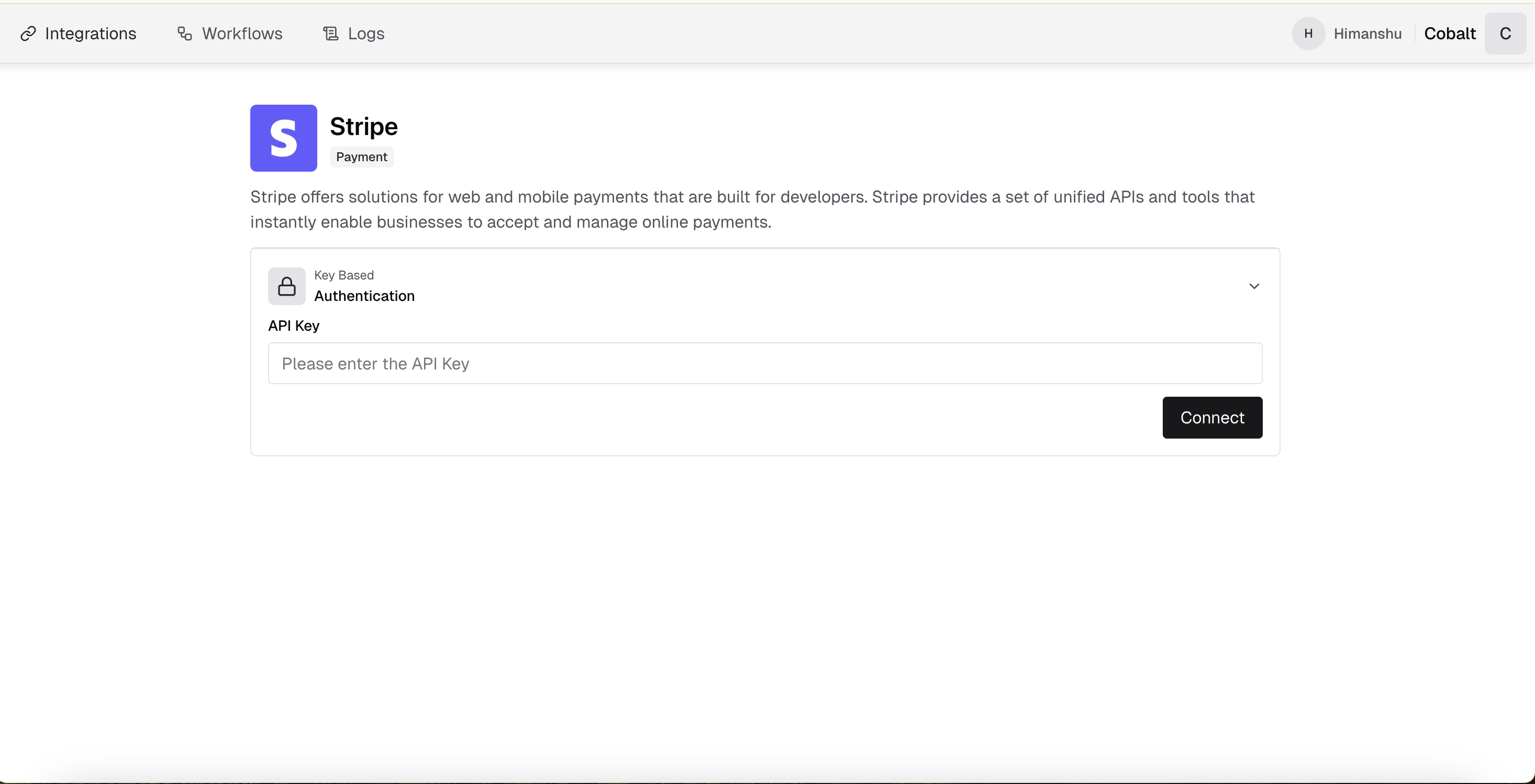
- Log in to your Stripe Dashboard.
-
Navigate to
Developersin the left sidebar and click onAPI keys.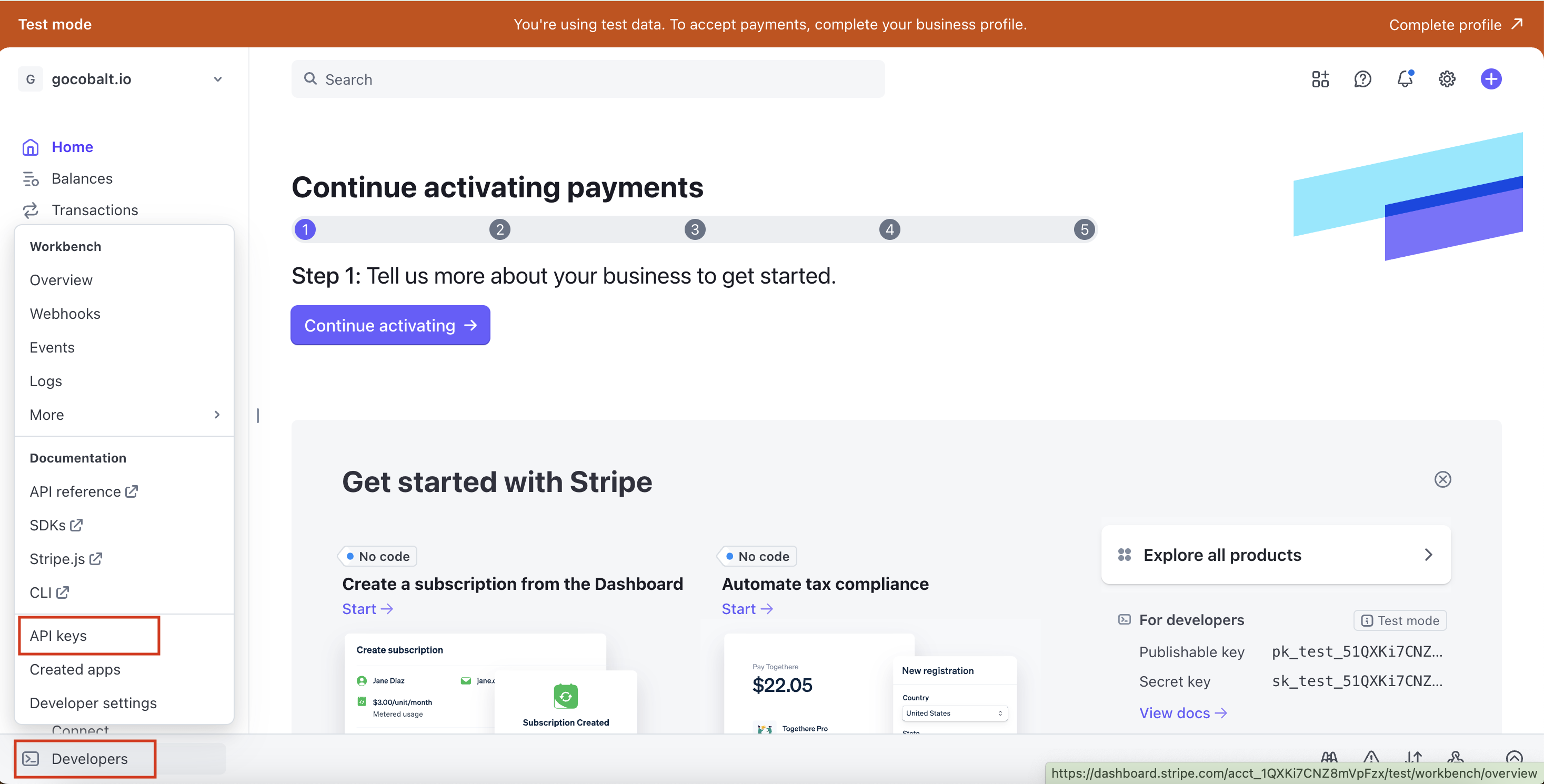
-
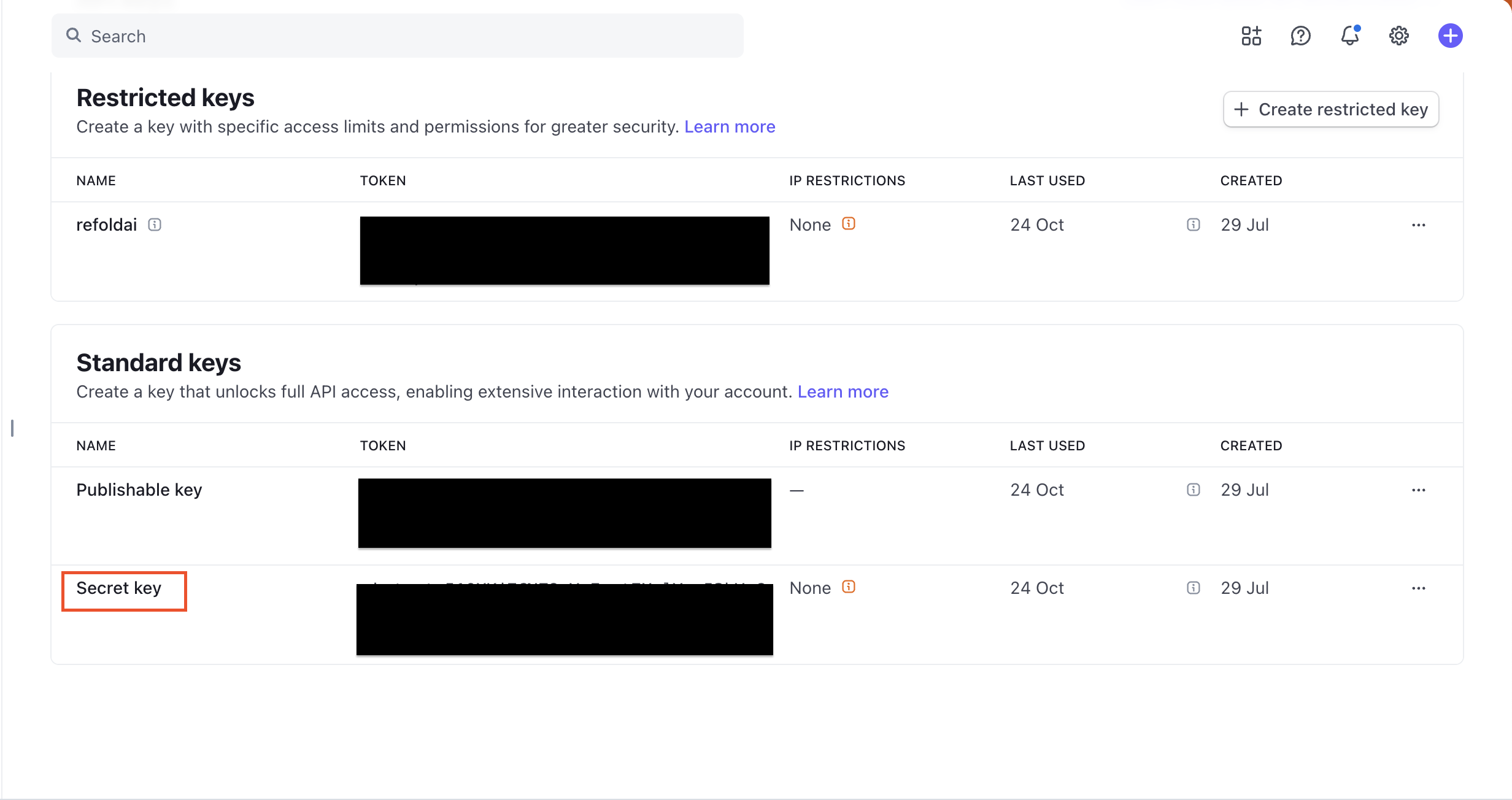
You will see three types of keys: Restricted keys, Publishable key and Secret key.
-
The Secret key is your API Key that will be used for server-side API calls. Click on
Reveal test keyorReveal live keybased on your environment. -
Click on
Create secret keybutton if you need to generate a new secret key for enhanced security. - Copy the Secret key from the Stripe dashboard. You can also set a name for your key to identify it later.
Test Mode vs Live Mode
Stripe provides separate API keys for test mode and live mode:- Test Mode Keys: Use these for development and testing. Test mode keys start with
sk_test_. - Live Mode Keys: Use these for production. Live mode keys start with
sk_live_.
Actions and triggers
Once the above setup is completed, you can create orchestrations of your use-cases using Stripe actions and triggers. Following are the set of Stripe actions and triggers supported by Refold.- Actions
- Triggers
Balance
Balance
- Get Balance - Get balance in Stripe.
Charges
Charges
- List Charges - List charges in Stripe.
- Create Charge - Create charge in Stripe.
- Update Charge - Update charge in Stripe.
Customers
Customers
- List Customers - List customers in Stripe.
- Create Customer - Create customer in Stripe.
- Update Customer - Update customer in Stripe.
- Search Customers - Search customers in Stripe.
Payment Intents
Payment Intents
- List Payment Intents - List payment intents in Stripe.
- Create Payment Intent - Create payment intent in Stripe.
- Update Payment Intent - Update payment intent in Stripe.
- Get Payment Intent - Get payment intent by id in Stripe.
- Cancel Payment Intent - Cancel payment intent in Stripe.
- Capture Payment Intent - Capture payment intent in Stripe.
- Confirm Payment Intent - Confirm payment intent in Stripe.
Products
Products
- List Products - List products in Stripe.
- Create Product - Create product in Stripe.
- Update Product - Update product in Stripe.
- Get Product - Get product by id in Stripe.
Subscriptions
Subscriptions
- List Subscriptions - List subscriptions in Stripe.
- Create Subscription - Create subscription in Stripe.
- Update Subscription - Update subscription in Stripe.
- Cancel Subscription - Cancel subscription in Stripe.
Others
Others
- HTTP Request - Make HTTP API calls to any Stripe documented REST APIs.
- Incremental Sync - Check for new data in the endpoint in Stripe.