

- API Key
Pre-requisites
- OpenAI account with API access.
If you haven’t already created an API Key in OpenAI, you’d need to create one from the OpenAI Dashboard.
Getting Credentials of OpenAI
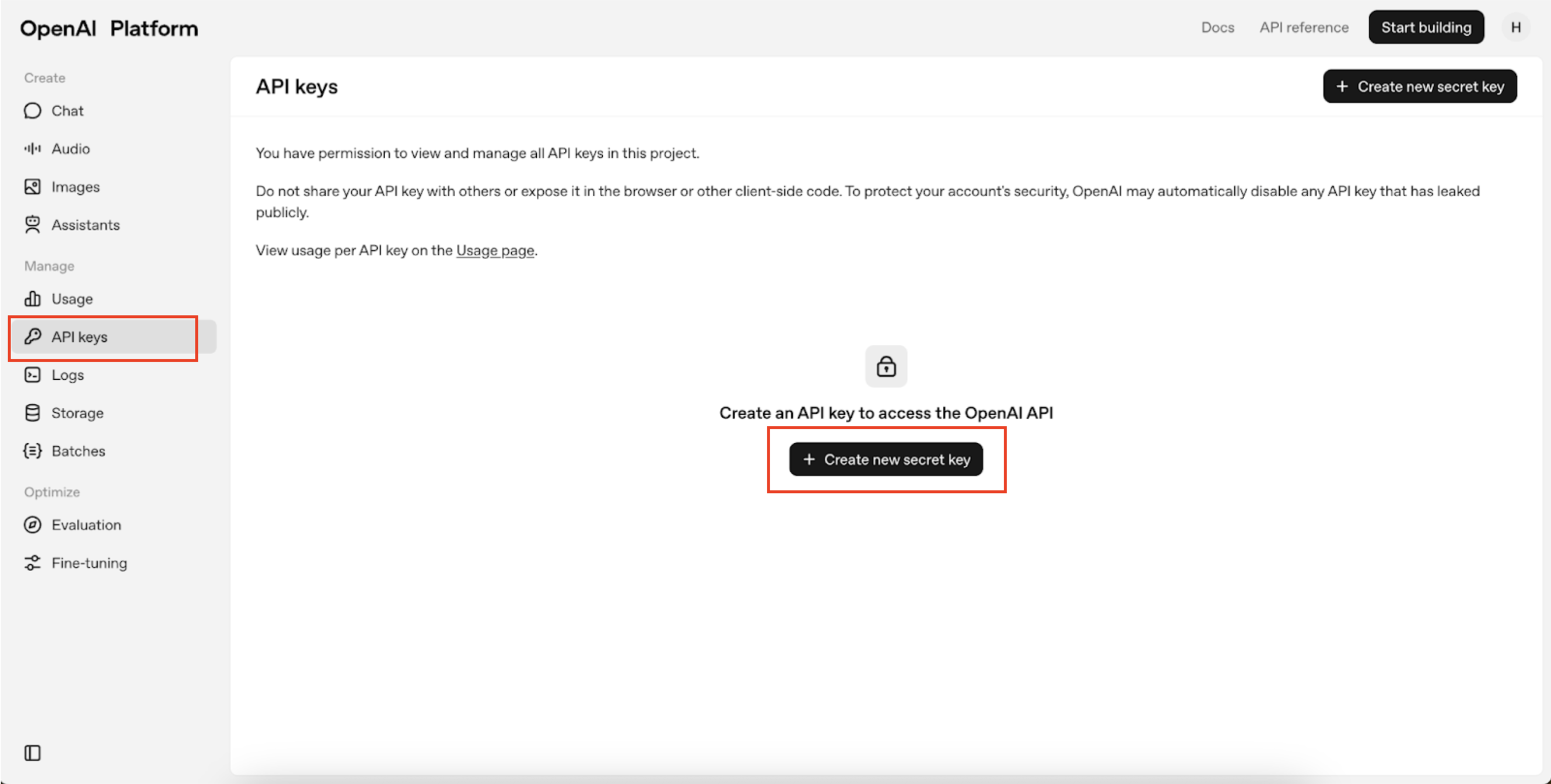
To acquire the required credentials and connect, please follow the steps mentioned below:- Log in to your OpenAI Dashboard.
- Navigate to API Keys section and click on Create new secret key.
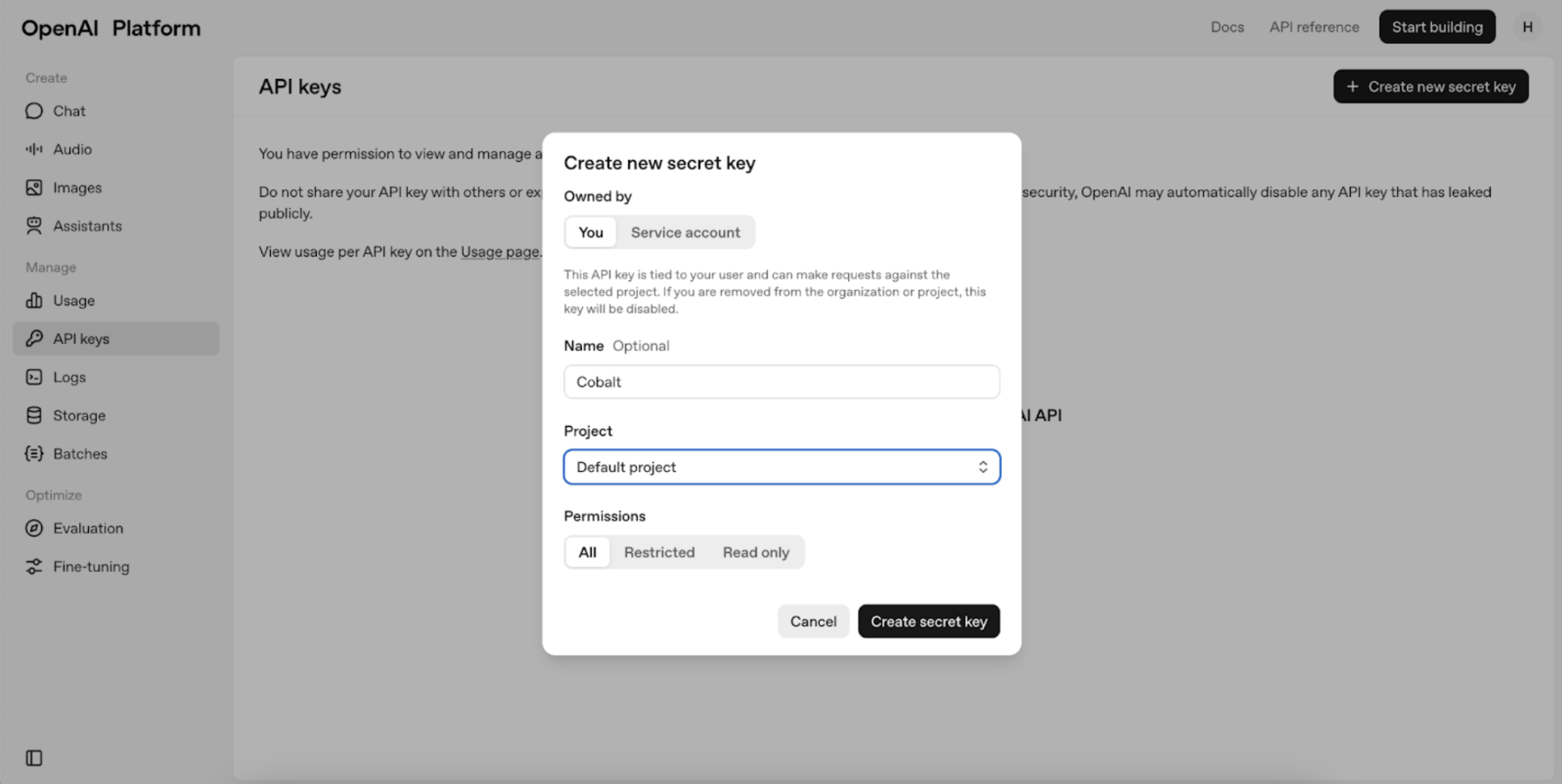
- Provide a unique Name to the Organization and Project. Keep the Permissions set to
All, then click on Create Secret Key.
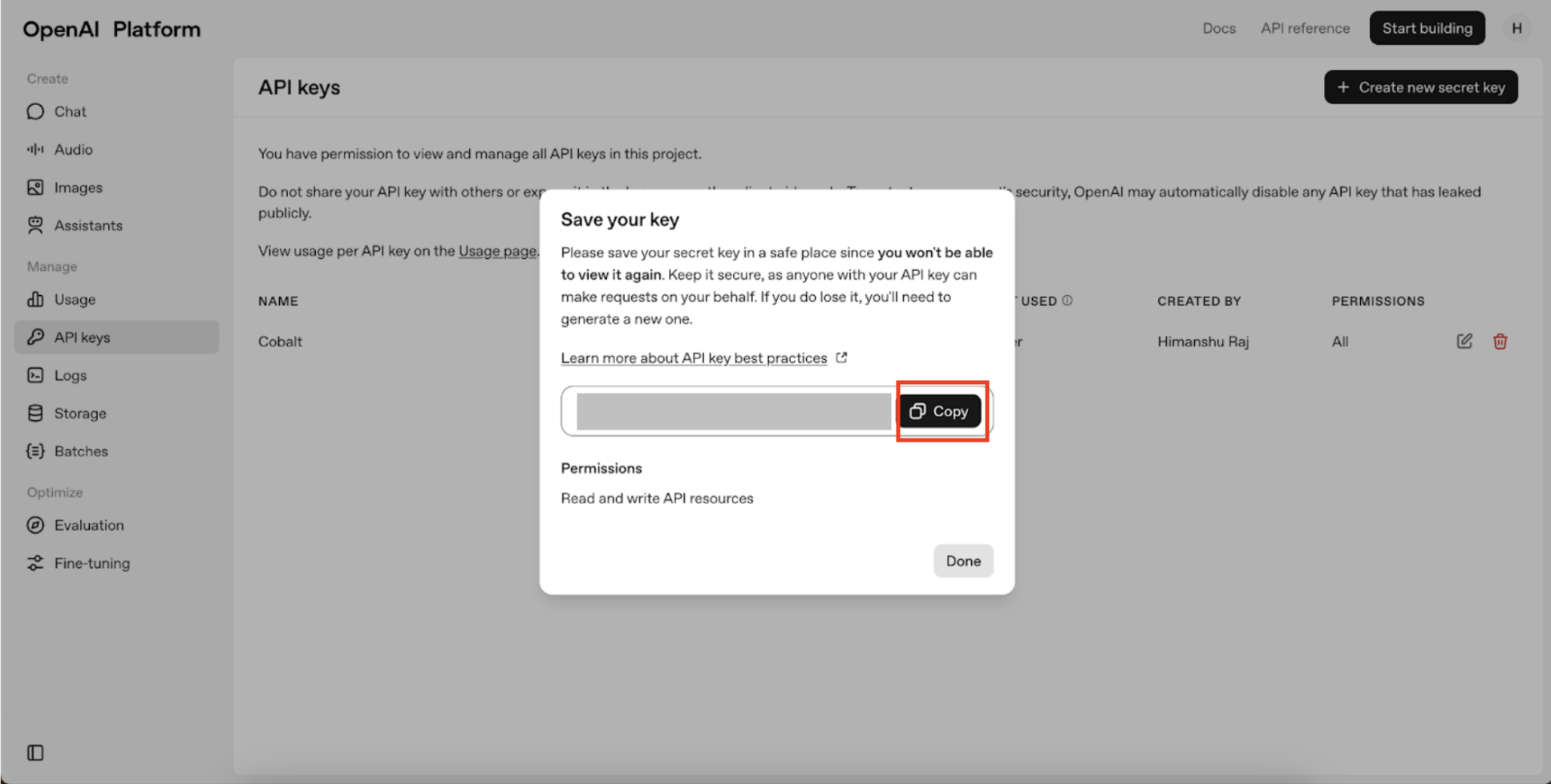
- Copy the API Key and click on Done.
Configuring credentials in Refold
Navigate to the Refold hosted portal and enter the API Key when prompted during the OpenAI connection setup.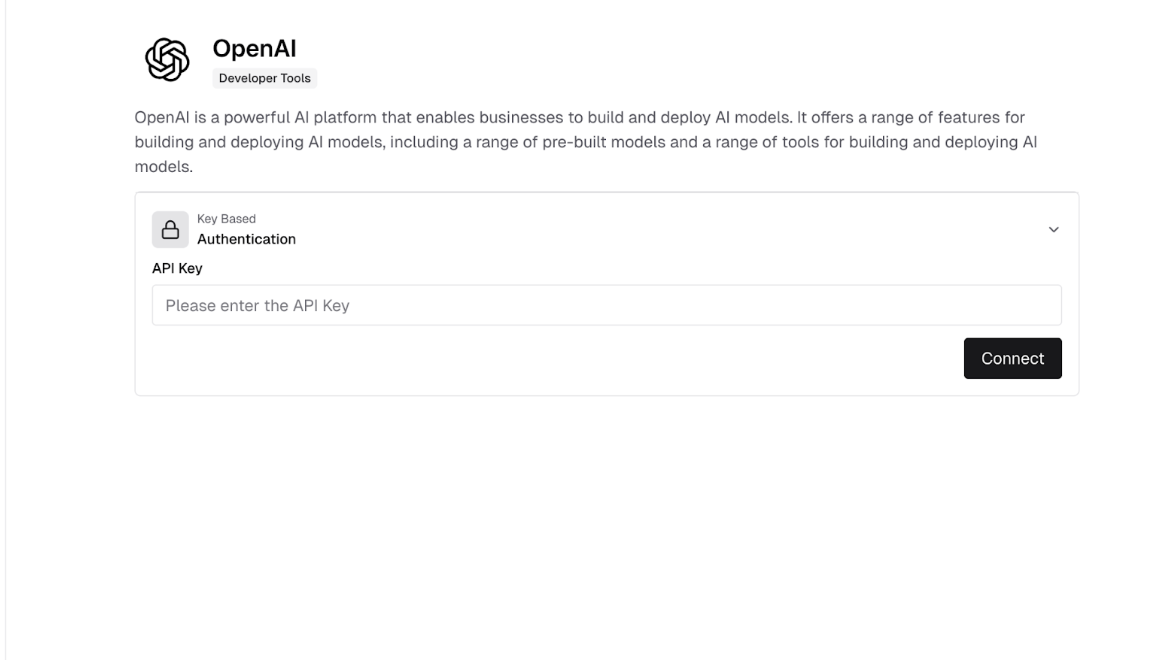
Actions and triggers
Once the above setup is completed, you can create orchestrations of your use-cases using OpenAI actions and triggers. Following are the set of OpenAI actions and triggers supported by Refold.- Actions
- Triggers
Audit Logs
Audit Logs
- List Audit Logs - List user actions and configuration changes within this organization in OpenAI.
Projects
Projects
- List Projects - Returns a list of projects in OpenAI.
- Create Project - Creates a new project in OpenAI.
- Update Project - Modifies a project in the organization in OpenAI.
Users
Users
- List Users - Lists all of the users in the organization in OpenAI.
- Get User - Retrieves a user by their identifier in OpenAI.
- Update User - Modifies a user’s role in the organization in OpenAI.
- Delete User - Deletes a user from the organization in OpenAI.
- Invite User - Invites a user to the organization in OpenAI.
- List Project Users - Returns a list of users in the project in OpenAI.
Others
Others
- HTTP Request - Make HTTP API calls to any OpenAI documented REST APIs.
- Incremental Sync - Check for new data in the endpoint.