

- API Key
Pre-requisites
- Less Annoying CRM account with API access enabled.
If you haven’t already created an API Key in Less Annoying CRM, you’d need to create one.
Creating an API Key in Less Annoying CRM
To create a Less Annoying CRM API Key and acquire the above mentioned credentials, please follow the steps mentioned below:- Log in to your Less Annoying CRM account at https://www.lessannoyingcrm.com.
- Click on the
Settingsicon on the left panel. - Scroll down to access “Programmer API” section within
Other Tools.
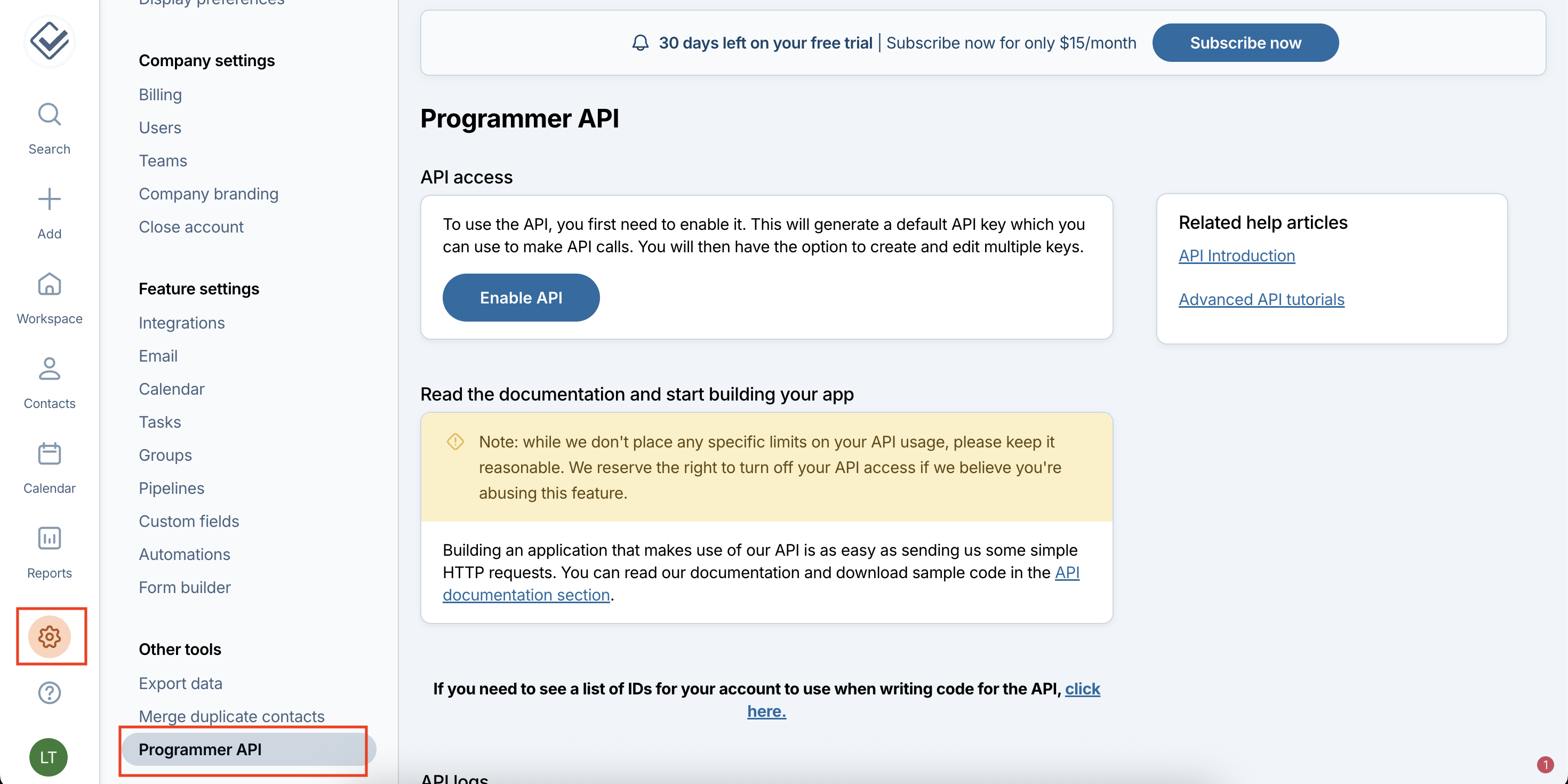
Enable APIif accessing it for the first time. Post that, Click onCreate a new API Keybutton.- Enter a name for your API Key (e.g., “Refold Integration”) and configure the required permissions:
- Read - Allow reading data from CRM
- Create - Allow creating new records
- Edit - Allow editing existing records
- Delete - Allow deleting records
- Select the appropriate permissions based on the actions you want to perform in Refold.
- Click
Create keyto generate your API Key.
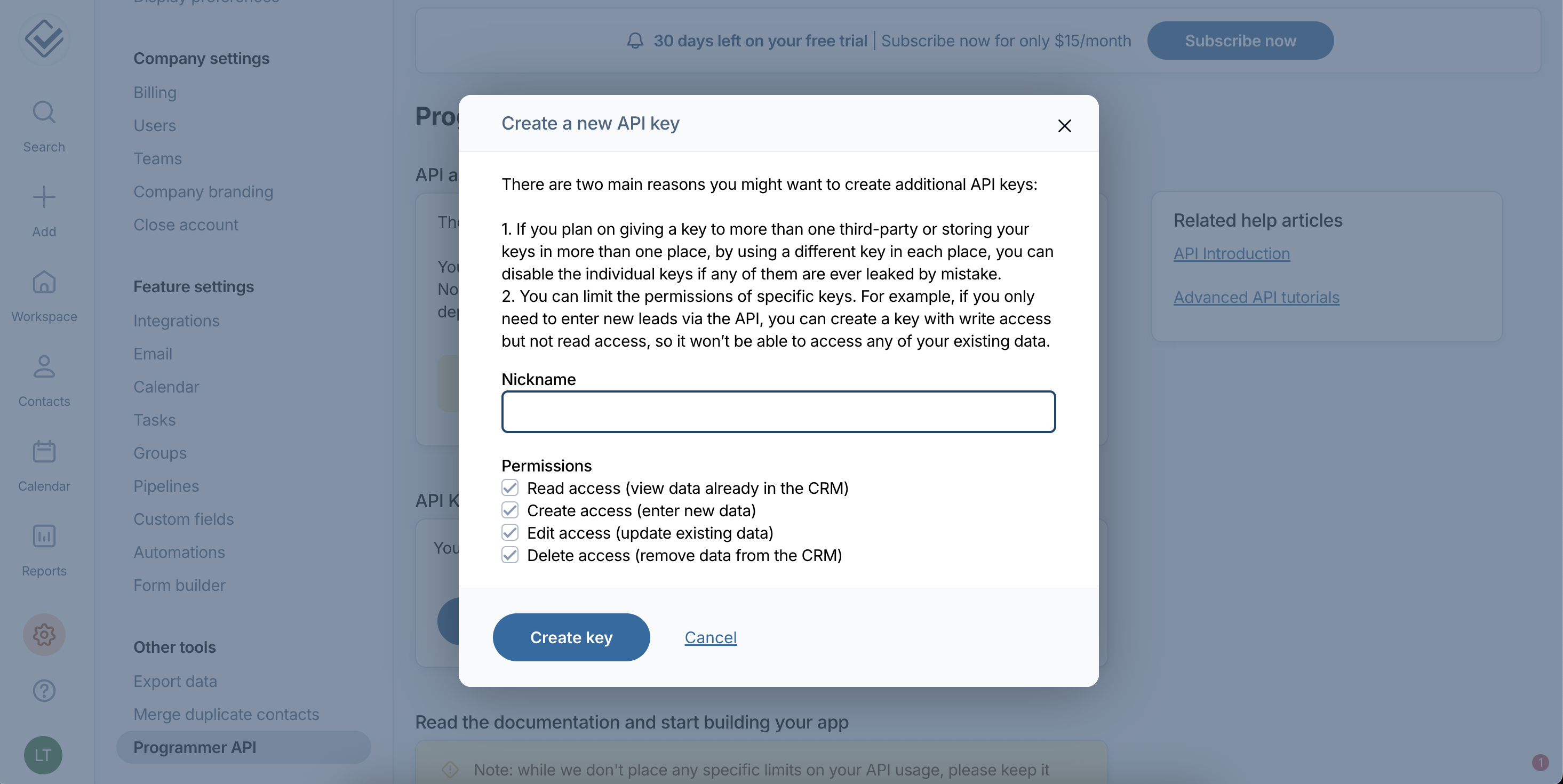
- Copy the generated API Key immediately and store it securely.
Configuring credentials in Refold
Navigate to the Refold hosted portal and enter the API Key when prompted during the Less Annoying CRM connection setup.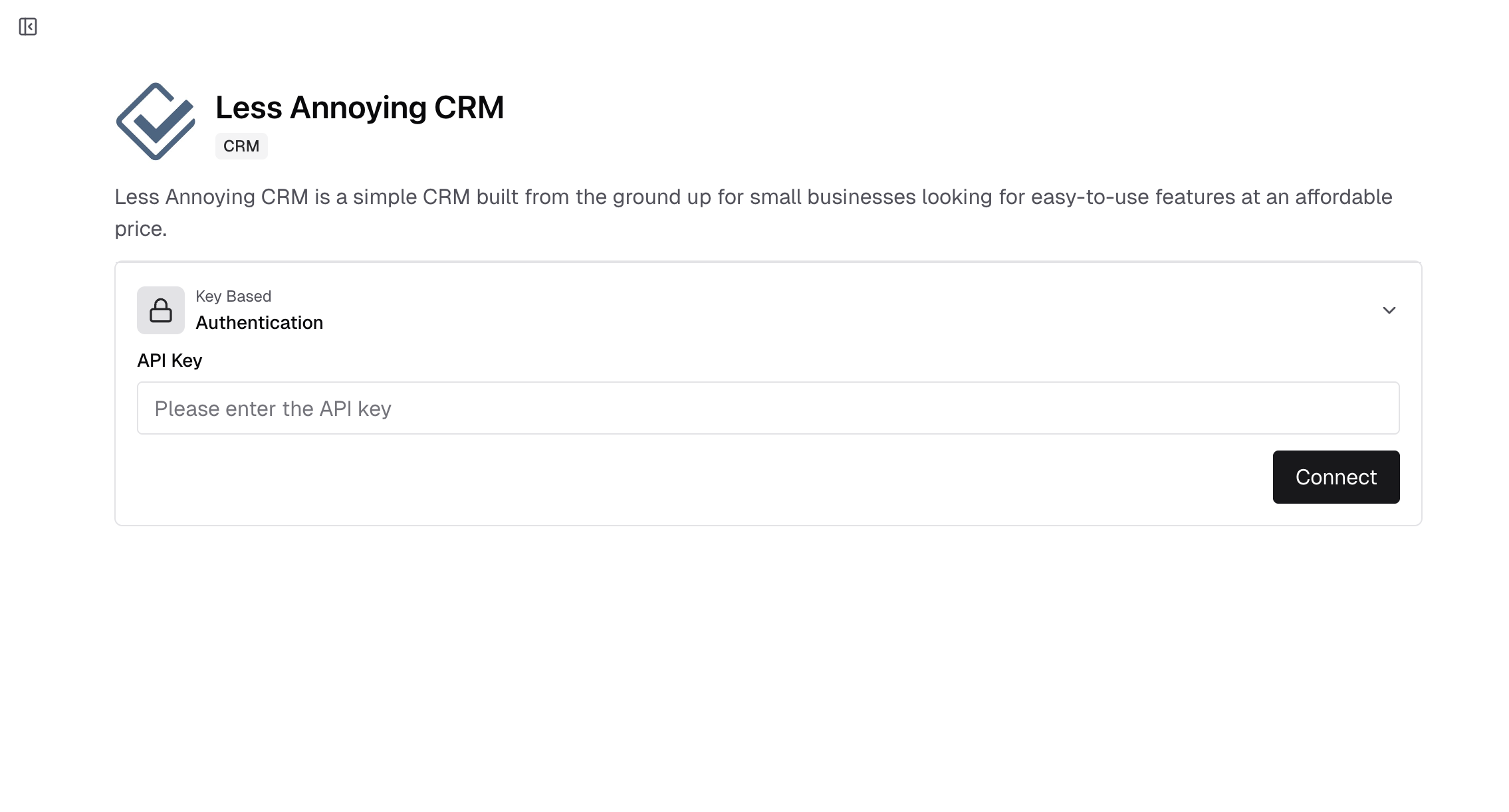
Actions and triggers
Once the above setup is completed, you can create orchestrations of your use-cases using Less Annoying CRM actions and triggers. Following are the set of Less Annoying CRM actions and triggers supported by Refold.- Actions
- Triggers
Company
Company
- Create Company - Create a new company in Less Annoying CRM.
- Update Company - Update a company in Less Annoying CRM.
- Delete Company - Delete a company in Less Annoying CRM.
Contact
Contact
- Create Contact - Create a new contact in Less Annoying CRM.
- Update Contact - Update a contact in Less Annoying CRM.
- List Contacts - Search or list all contacts in Less Annoying CRM.
- Get Contact - Get a contact by ID in Less Annoying CRM.
- Delete Contact - Delete a contact in Less Annoying CRM.
Pipeline Item
Pipeline Item
- Create Pipeline Item - Create a pipeline item in Less Annoying CRM.
- Update Pipeline Item - Update a pipeline item in Less Annoying CRM.
- Delete Pipeline Item - Delete a pipeline item in Less Annoying CRM.
Others
Others
- HTTP Request - Make HTTP API calls to any Less Annoying CRM documented REST APIs.
- Incremental Sync - Check for new data in the endpoint.