

- API Key
Pre-requisites
- Close account with access to Settings.
If you don’t have access to the Developer settings in Close, you’ll need to contact your Close administrator to generate an API key for you.
Creating an API Key in Close
To create a Close API key and acquire the above mentioned credentials, please follow the steps mentioned below:- Log in to your Close account at https://app.close.com.
- Click on Settings in the left-hand sidebar of the Close dashboard.
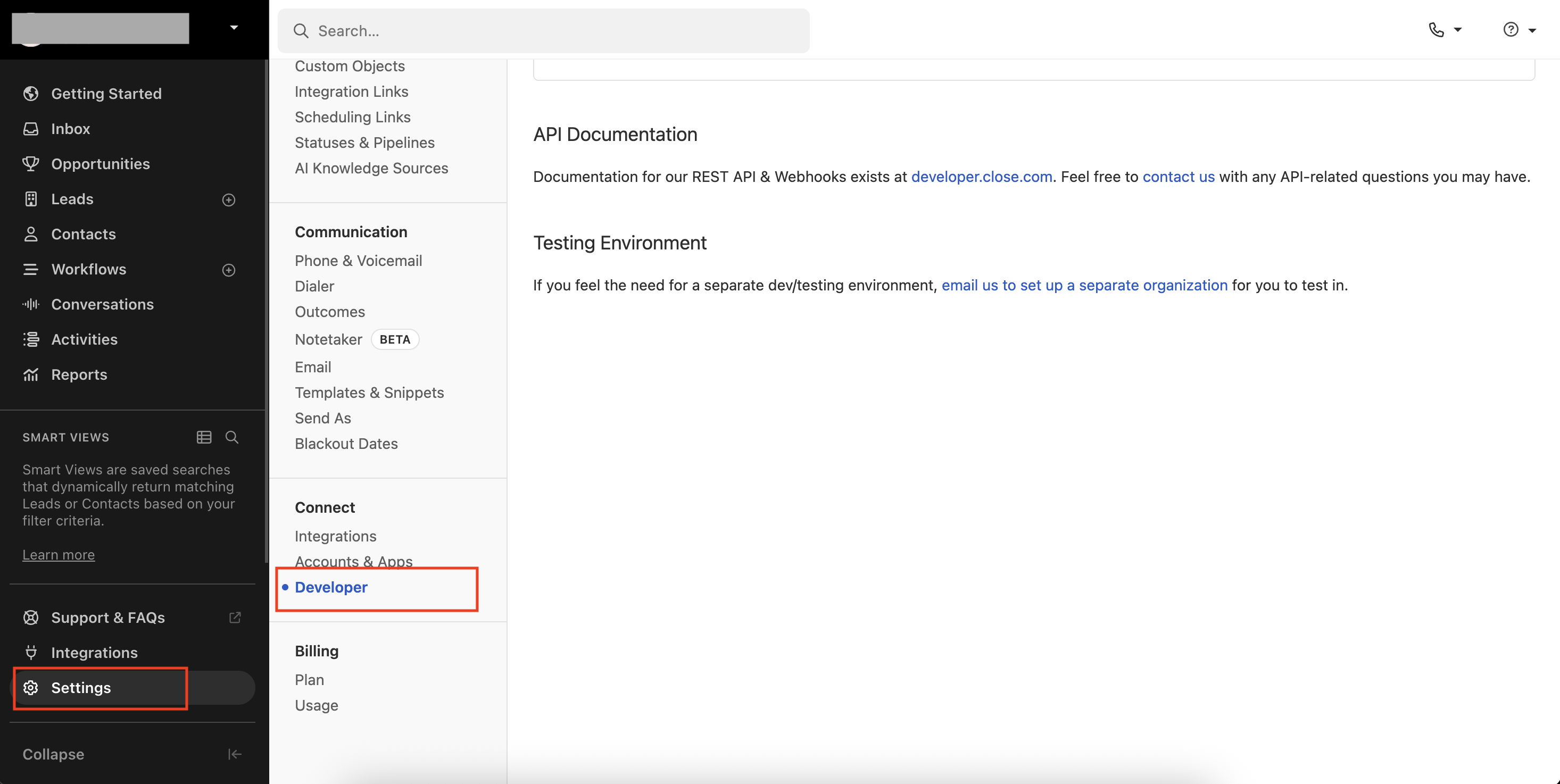
- Under the Settings menu, scroll down and click on
Developer. - In the Developer section, locate the API Keys option.
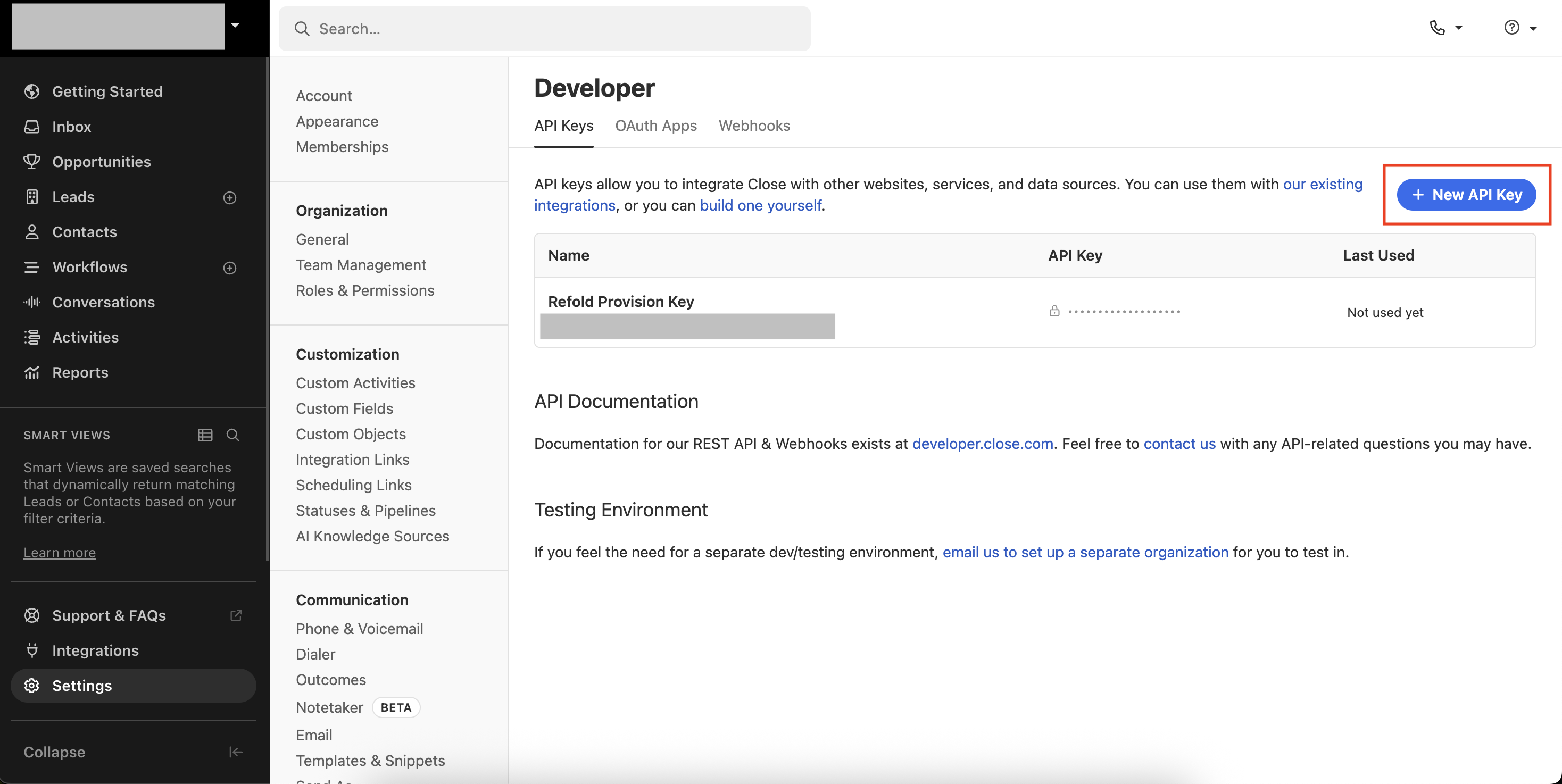
- Click on
+ New API Keyto create a new API key. - Enter a Name for the API key to identify its purpose (e.g., “Refold Integration”).
- Click
Saveto generate your API key.
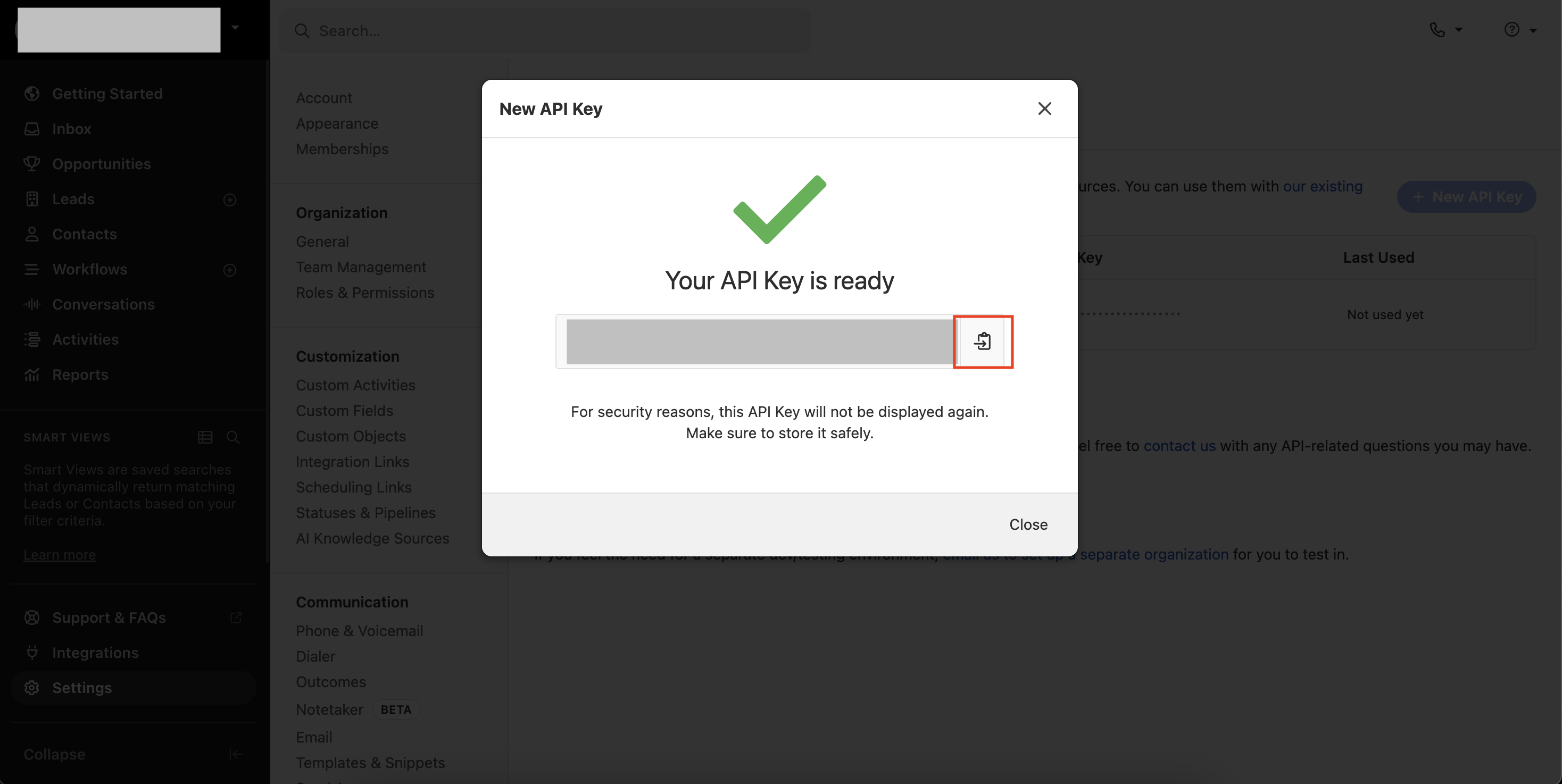
- Copy the generated API Key. The key will be in the format:
api_XXXXXXXX.XXXXXXXX.
Configuring credentials in Refold
Navigate to the Refold hosted portal and enter the API Key when prompted during the Close connection setup.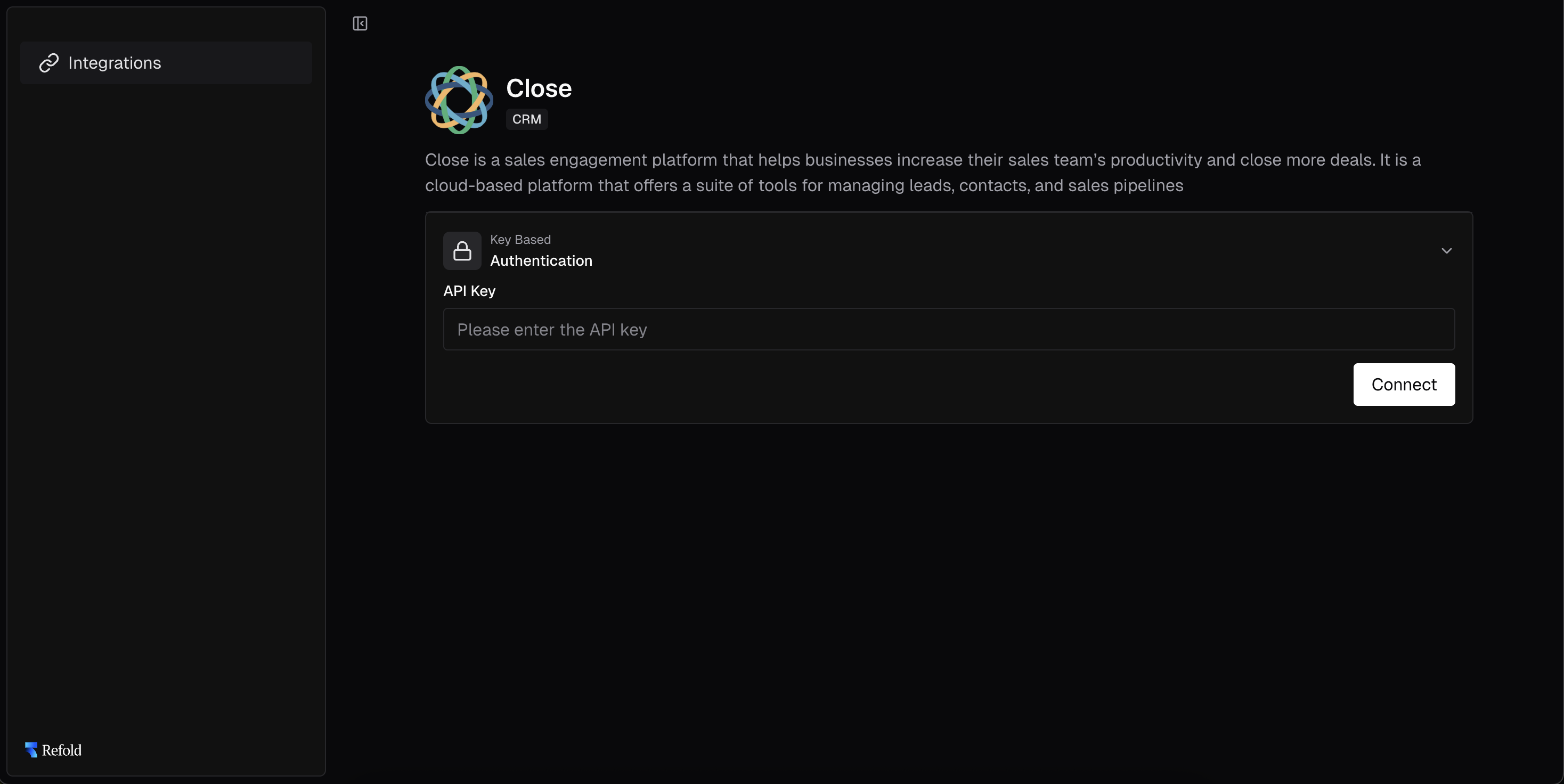
Actions and triggers
Once the above setup is completed, you can create orchestrations of your use-cases using Close actions and triggers. Following are the set of Close actions and triggers supported by Refold.- Actions
- Triggers
Contact
Contact
- Create Contact - Create a new contact in Close.
- Update Contact - Update an existing contact in Close.
- Fetch a Contact - Fetch a contact by ID in Close.
Lead
Lead
- Create Lead - Create a new lead in Close.
- Update Lead - Update an existing lead in Close.
- Fetch a Lead - Fetch a lead by ID in Close.
Note Activity
Note Activity
- Create a Note Activity - Create a new note activity in Close.
- Update a Note Activity - Update an existing note activity in Close.
Opportunity
Opportunity
- Create Opportunity - Create a new opportunity in Close.
- Update Opportunity - Update an existing opportunity in Close.
- Fetch an Opportunity - Fetch an opportunity by ID in Close.
Others
Others
- HTTP Request - Make HTTP API calls to any Close documented REST APIs.
- Incremental Sync - Check for new data in the endpoint.