

If you are building a Custom UI for your users using the Refold SDKs and now want to build the functionality for your users to connect or disconnect with the applications that you have displayed, you can do so by using the SDKs.Documentation Index
Fetch the complete documentation index at: https://docs.refold.ai/llms.txt
Use this file to discover all available pages before exploring further.
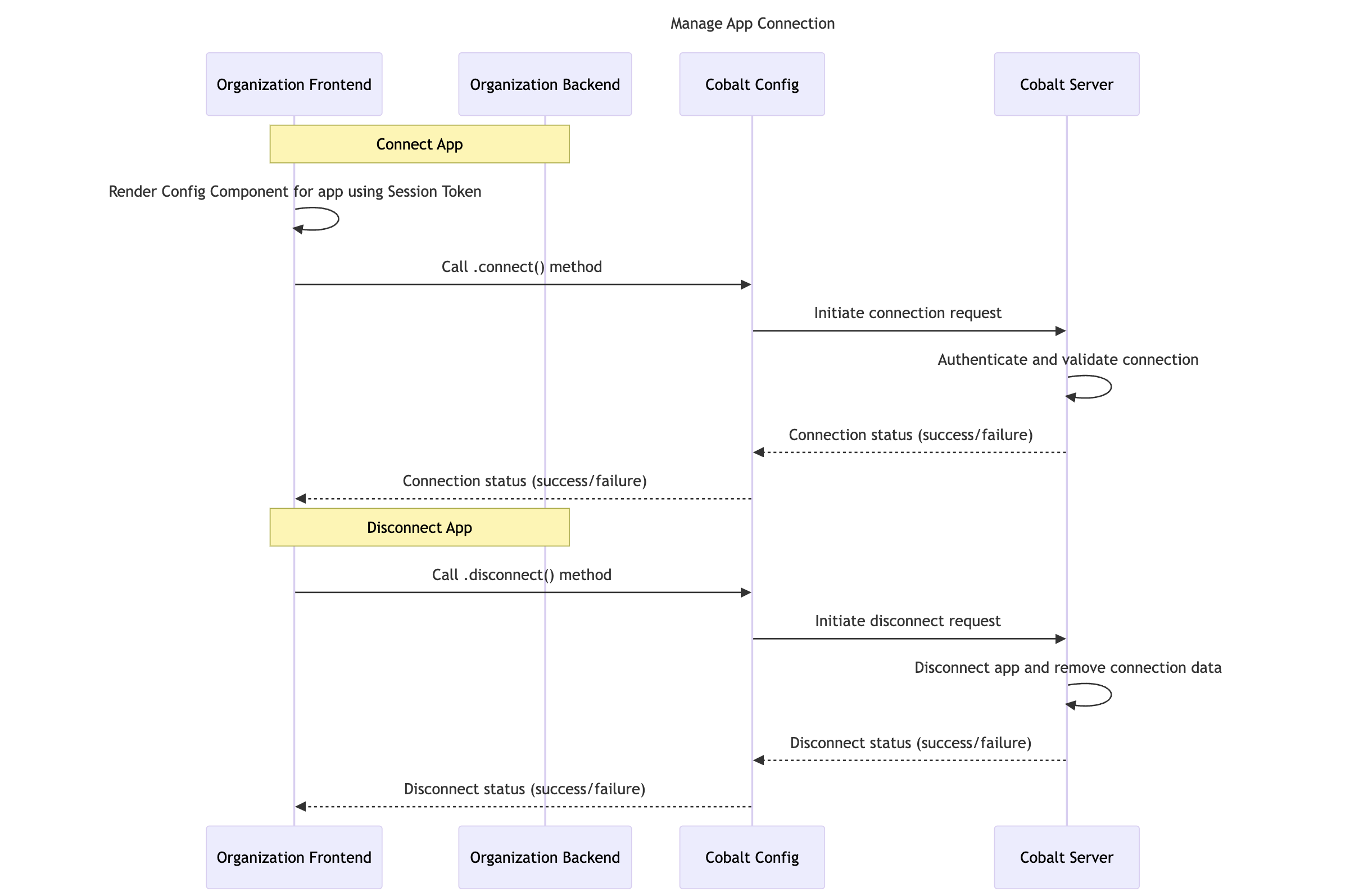
Using Refold SDKs
.connect() method
The .connect() method in the JS SDK by Refold lets your customers to connect to an application platform, authorizing you to access the platform APIs and data on their behalf.Method
application slug for which the connection needs to be made and if the app is Key-based, then it requires a Payload containing the auth data.
The method will return true if the connection was successful.
.disconnect() method
The .disconnect() method disconnects the specified application and remove any associated data from Refold.Method
Handle App ReAuth
Once the end customer goes through the auth flow, Refold saves the encrypted tokens and keys and refreshes them if/when required to maintain the functionality of the created workflows. However, there are certain conditions where Refold can no longer authenticate the API on behalf of your end customers.- The provided API credentials for eg: API keys, Refresh token has expired.
- The access token or refresh token of the end customer has been revoked.
- The end customer uninstalls the application.
- The user deletes the application being used by their customer.
Checkout this documentation to understand how you can handle it here.