

Apptivo is an API Key based integration and does not require the setup of an app.
Required Credentials of a Linked Account
To successfully connect with the Apptivo integration, a Linked Account or an end-user will need to provide the following to connect:- API Key
- Access Key
To understand how a Linked Account can get the above mentioned credentials, refer below.
Getting Credentials of Apptivo CRM
To acquire the required credentials and connect a Linked Account, please follow the steps mentioned below: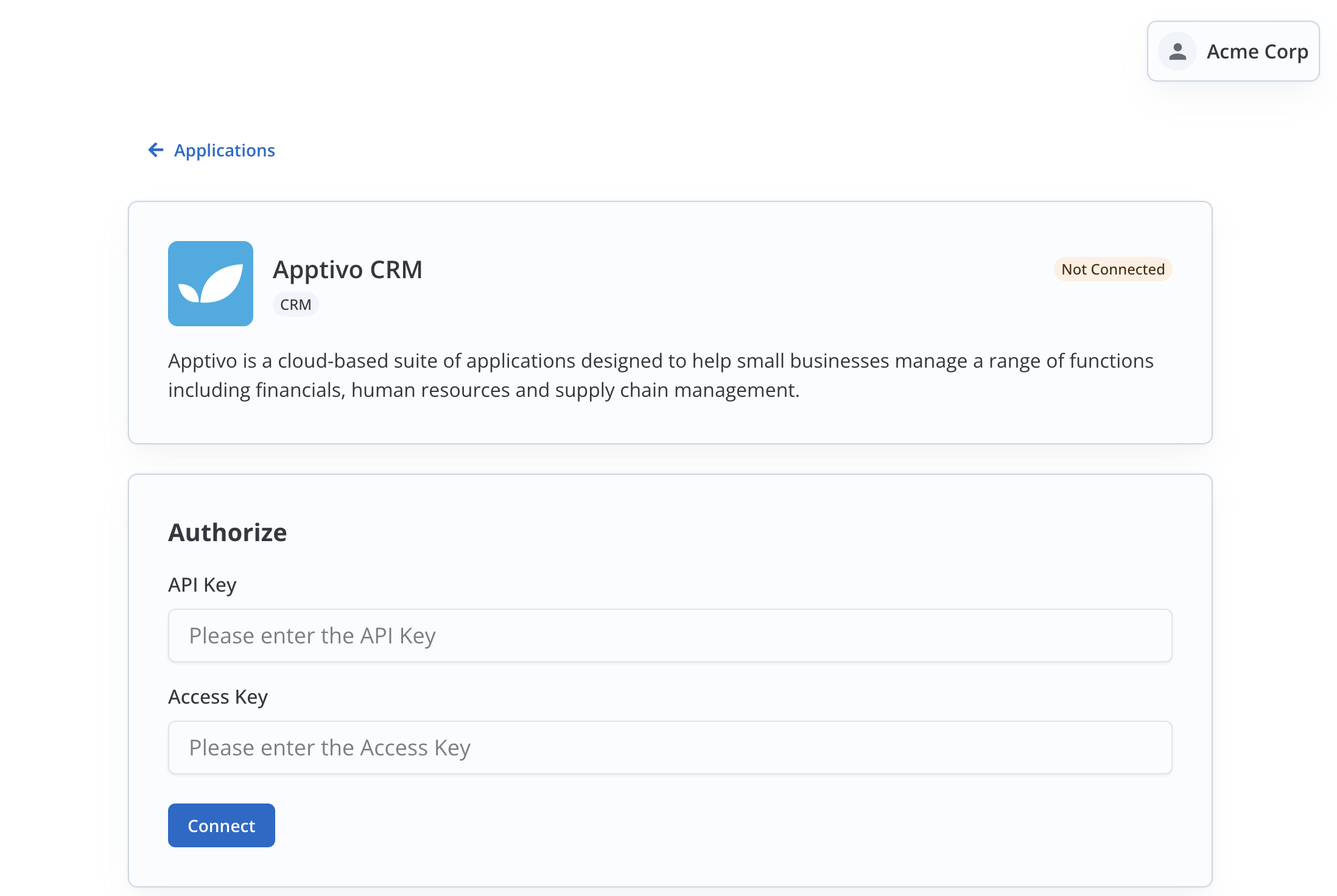
- Log in to your Apptivo CRM account.
- Click on the
Profileicon in the top right and click onBusiness Settings.
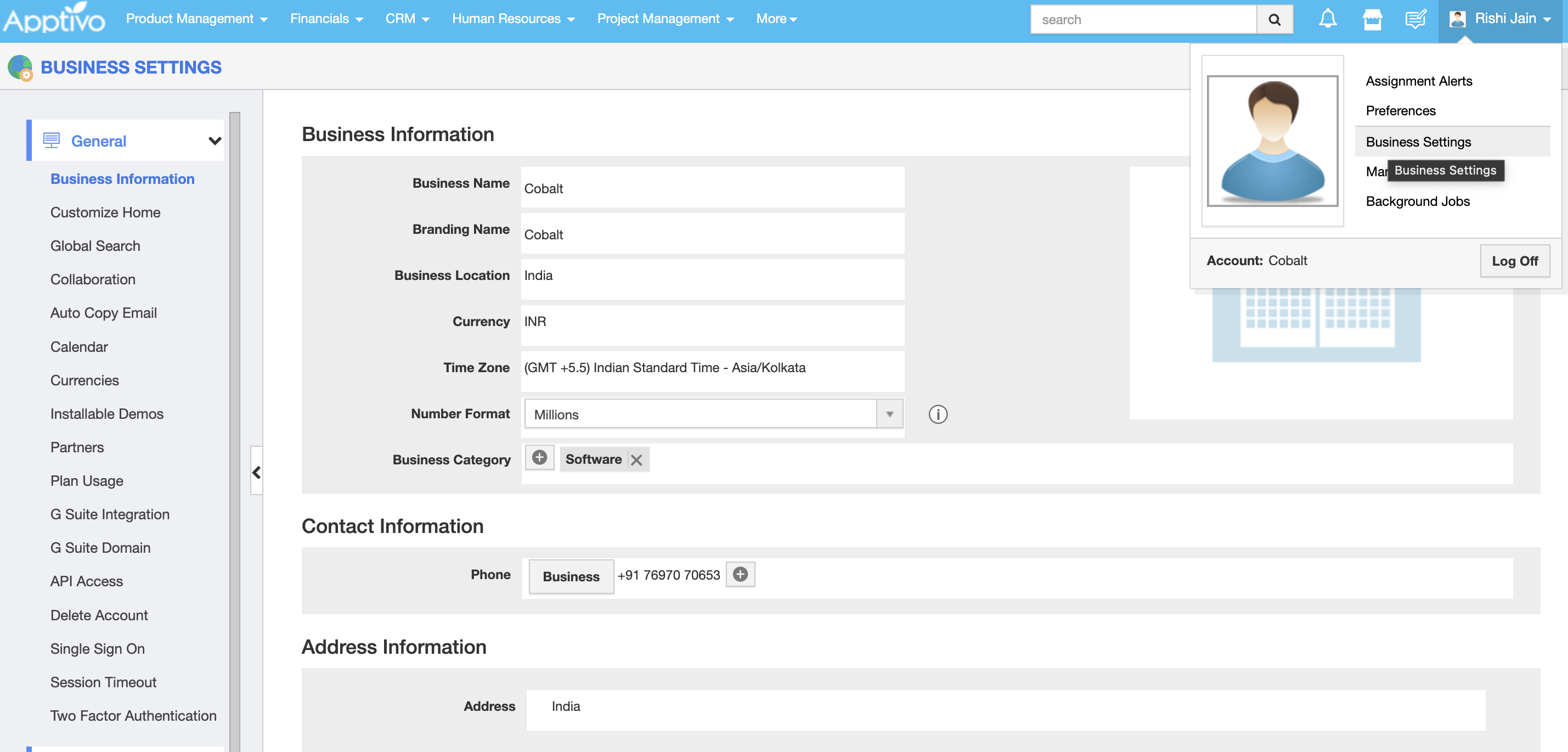
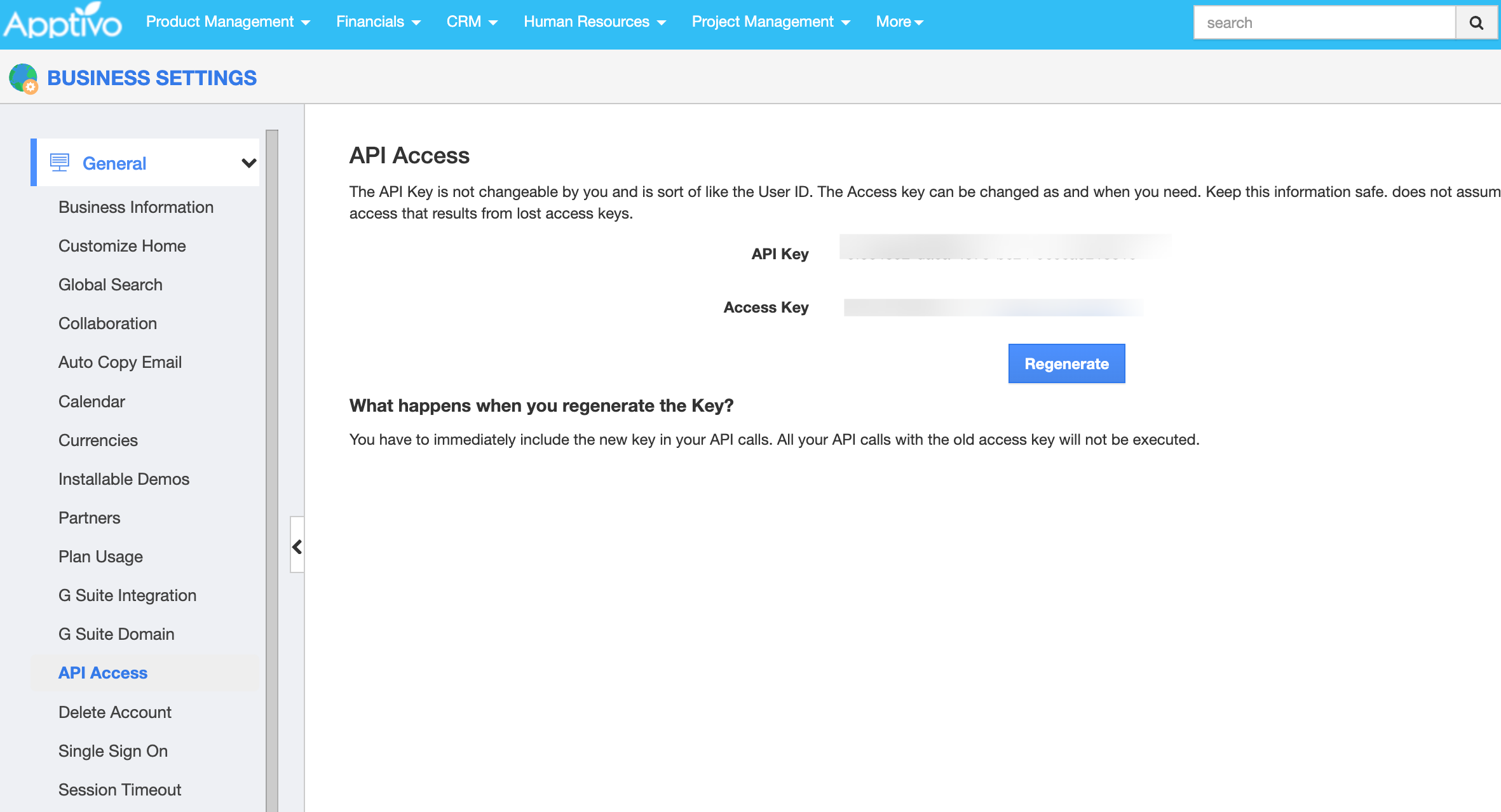
- Click on
API Accessin the side menu and copy theAPI KeyandAccess Keydisplayed.
Actions and triggers
In Cobalt, you can create orchestrations of your use-cases using Apptivo actions and triggers. Following are the set of Apptivo actions and triggers supported by Cobalt.- Actions
- Triggers
Case
Case
- Create Case - Create a new case in Apptivo.
- Update Case - Update a case in Apptivo.
- Delete Case - Delete a case in Apptivo.
Contact
Contact
- Create Contact - Create a new Contact in Apptivo.
- Update Contact - Update a Contact in Apptivo.
- Delete Contact - Delete a Contact in Apptivo.
Customer
Customer
- Create Customer - Create a new customer in Apptivo.
- Update Customer - Update a customer in Apptivo.
- Delete Customer - Delete a customer in Apptivo.
Lead
Lead
- Create Lead - Create a new lead in Apptivo.
- Update Lead - Update a lead in Apptivo.
- Delete Lead - Delete a lead in Apptivo.
Opportunity
Opportunity
- Create Opportunity - Create a new opportunity in Apptivo.
- Update Opportunity - Update a opportunity in Apptivo.
- Delete Opportunity - Delete a opportunity in Apptivo.
Others
Others
- HTTP Request - Make HTTP API calls to any Apptivo documented REST APIs.