

- Base URL
- API Key
Pre-requisites
- Active Campaign account with API access.
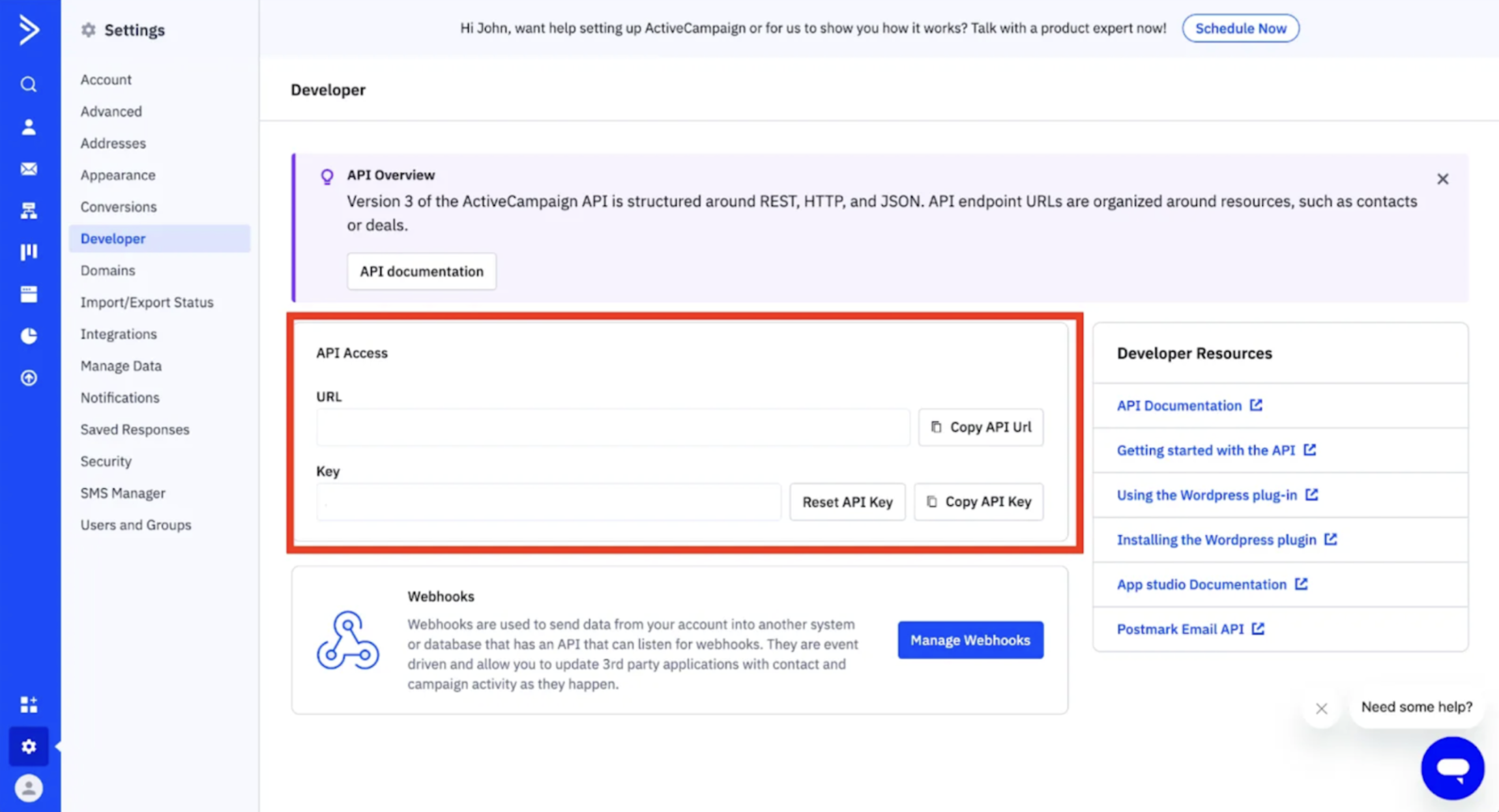
If you haven’t already located your API Key in Active Campaign, you can find it in the Developer section of your account settings.
Getting Credentials of Active Campaign
To acquire the required credentials and connect, please follow the steps mentioned below:- Go to the Active Campaign login page and login using your credentials.
- Once logged in, navigate to the Settings section.
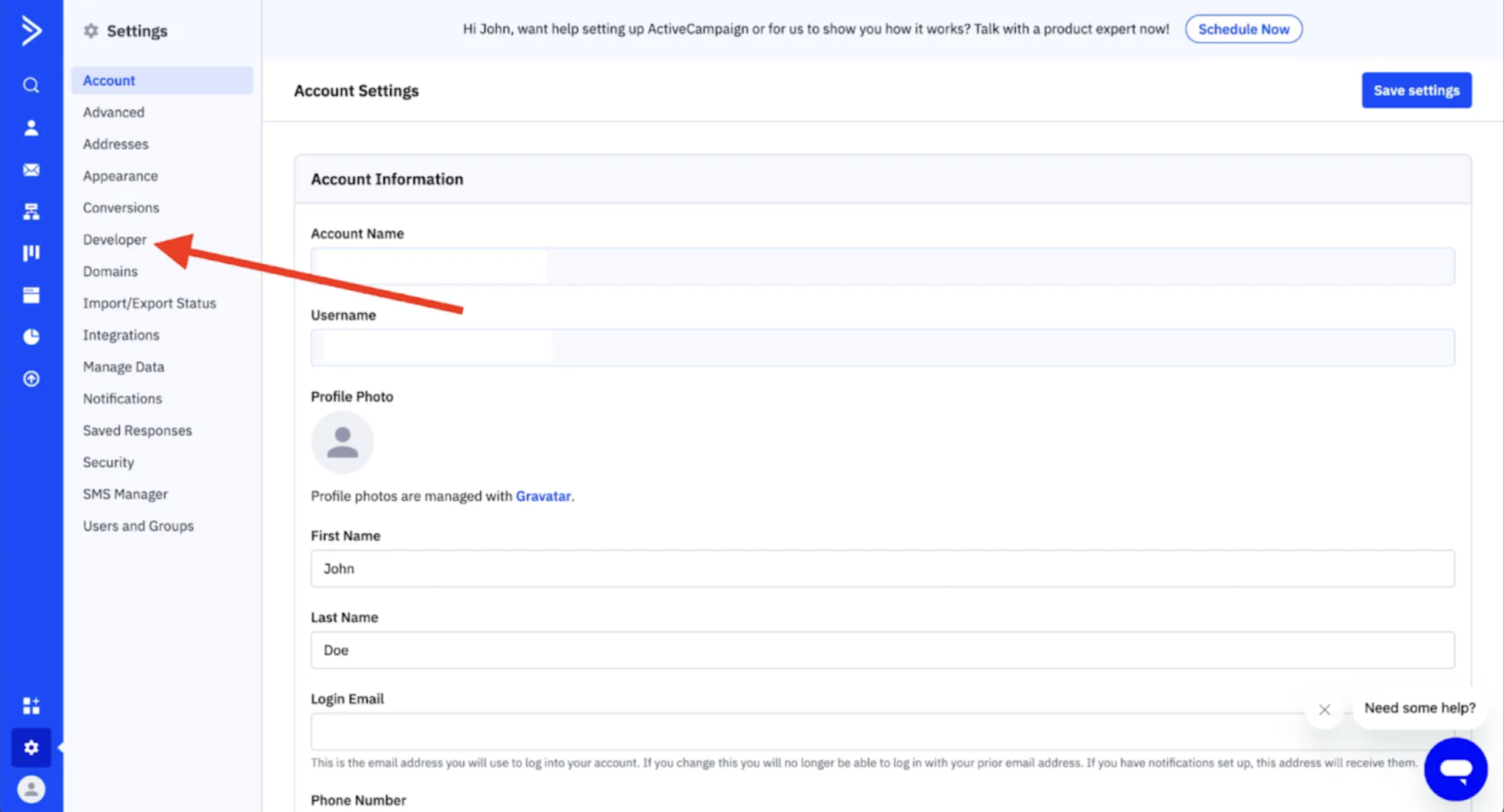
- Within the Settings menu, look for the Developer section in the left-hand sidebar.
- Once you click Developer, your API Key and Base URL will appear front and center.
Configuring credentials in Refold
Navigate to the Refold hosted portal and enter the Base URL and API Key when prompted during the Active Campaign connection setup.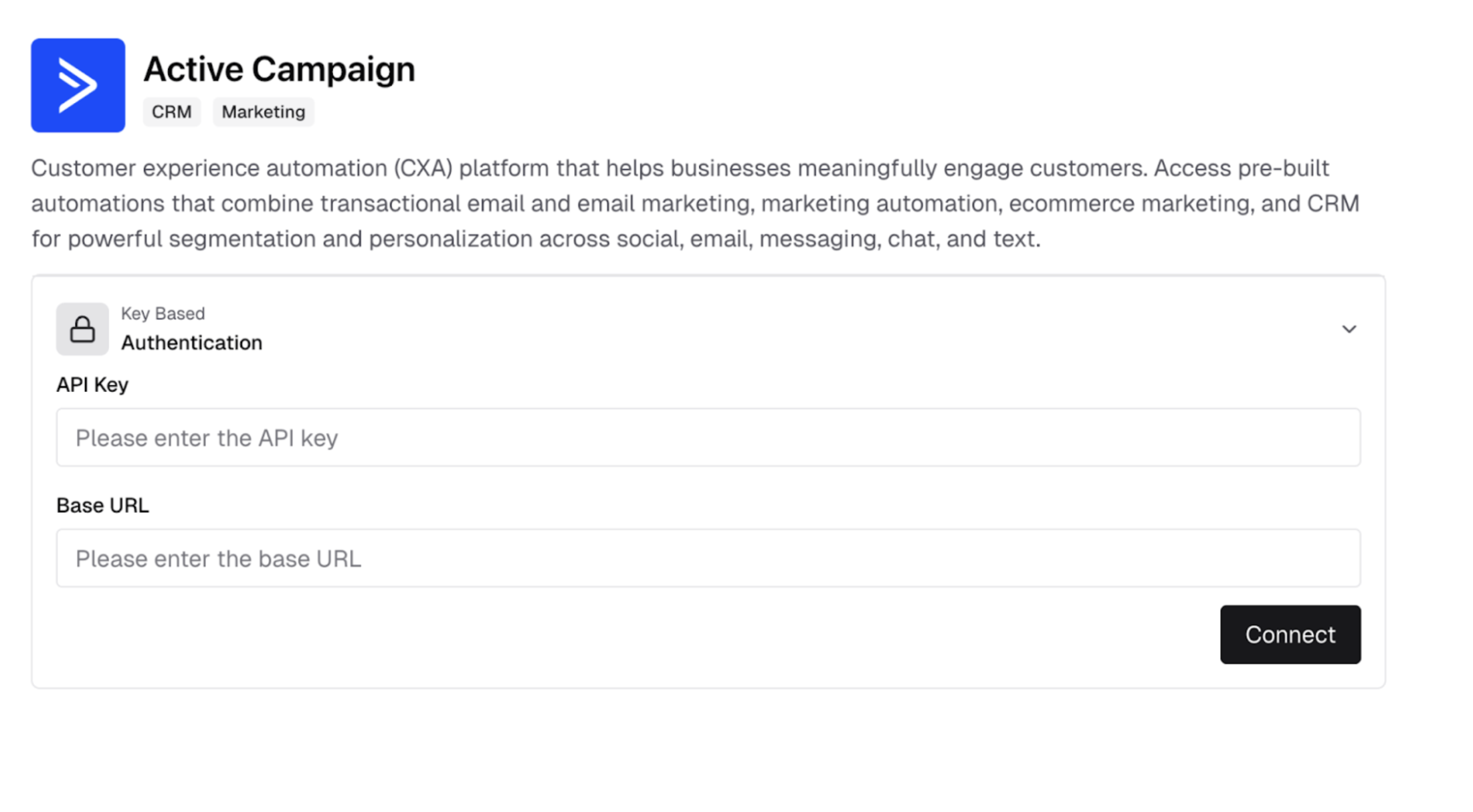
Actions and triggers
Once the above setup is completed, you can create orchestrations of your use-cases using Active Campaign actions and triggers. Following are the set of Active Campaign actions and triggers supported by Refold.- Actions
- Triggers
Others
Others
- HTTP Request - Make HTTP API calls to any Active Campaign documented REST APIs.
- Incremental Sync - Check for new data in the endpoint.