

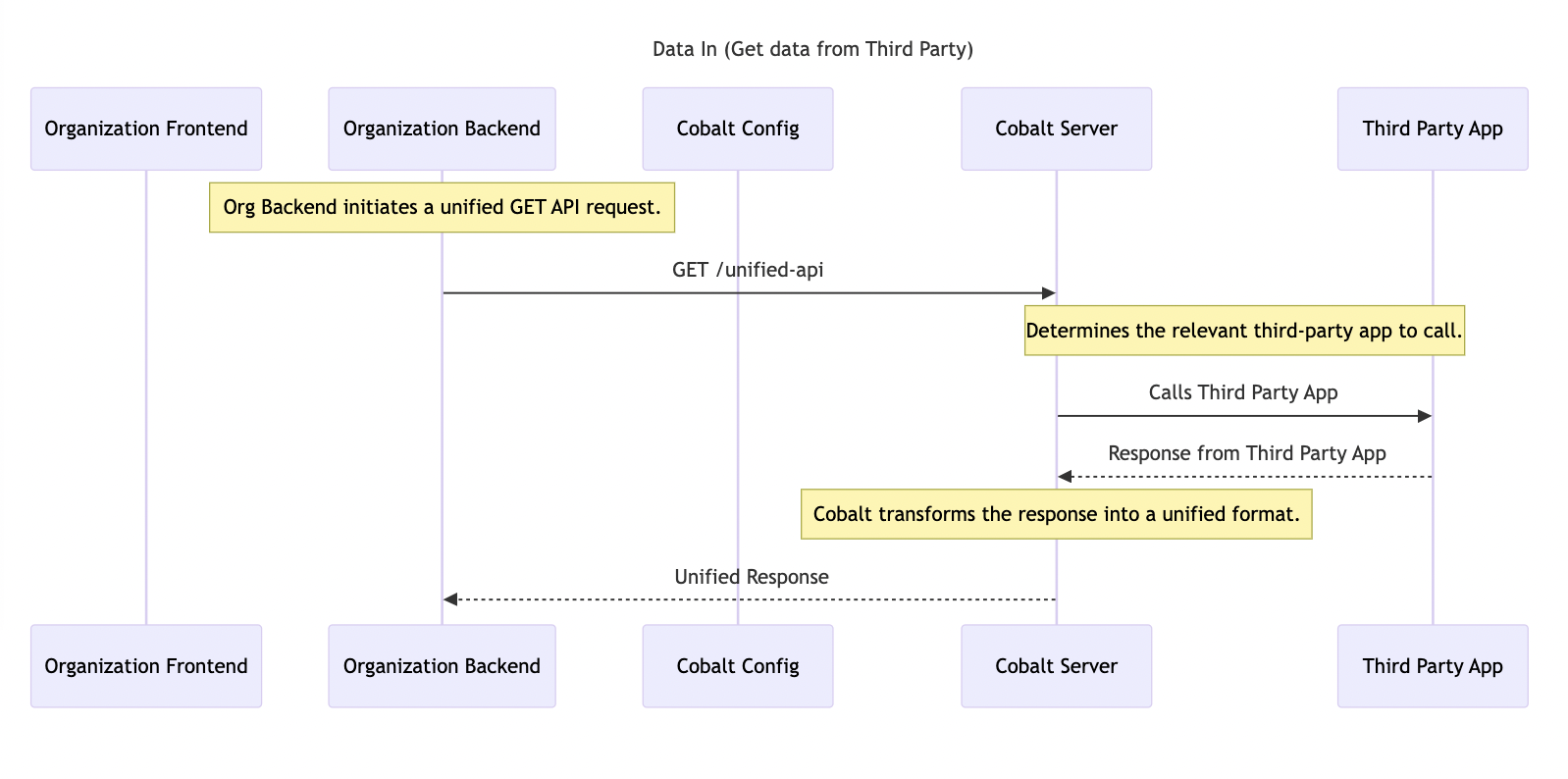
You can learn in detail about API Proxies in our guide here.
Create API Proxy
Follow these steps to create an API Proxy:Create Action
Navigate to
Developer in Cobalt > API Proxies > Click on the New Action button > provide a Name and Description for the API Proxy > Click on the Create Action button.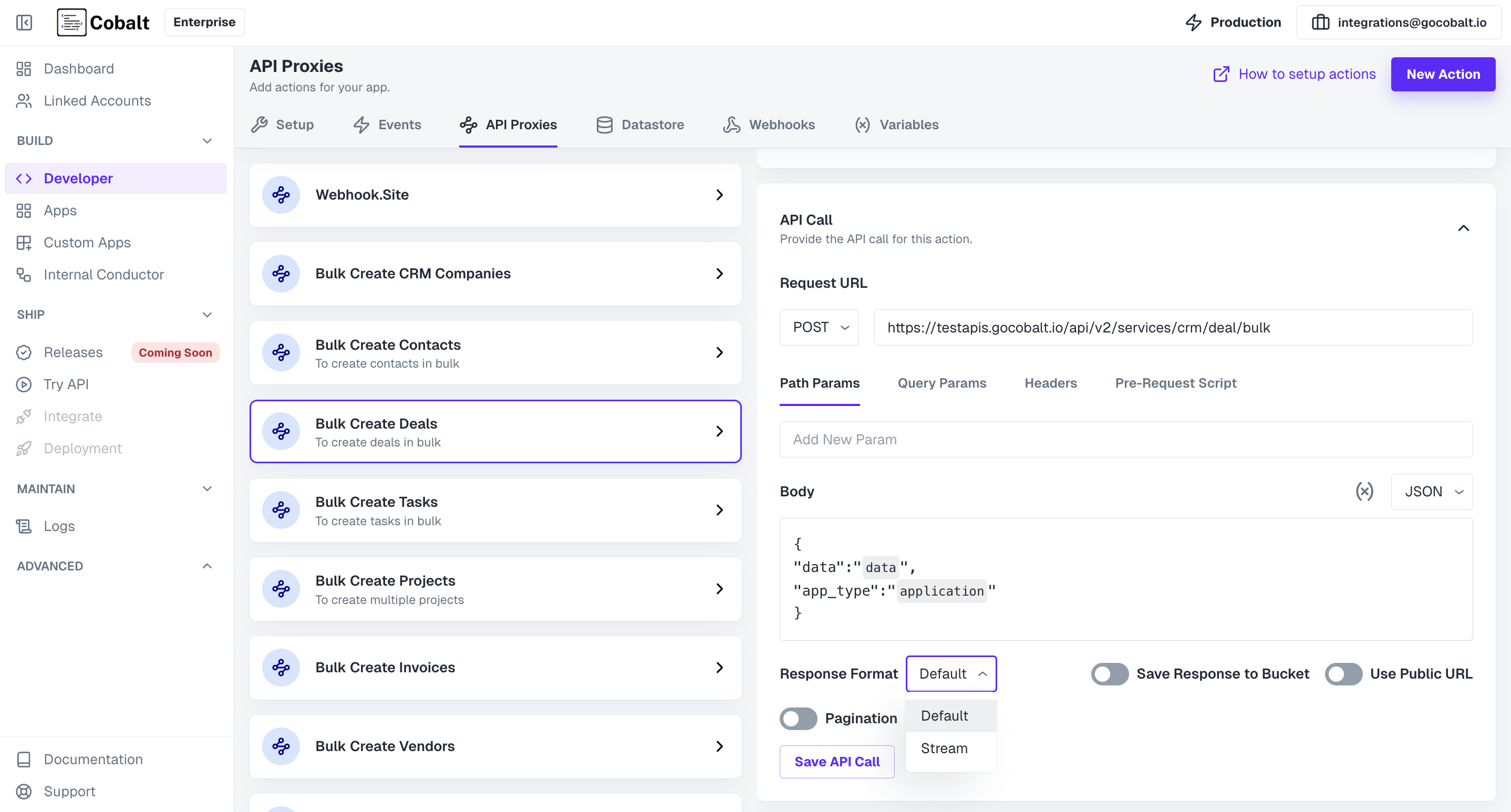
Checkpoint
Congratulations!! You have created an API Proxy successfully which can be used to read data from the workflows and use it.